
Dealership Photo Generator
Generative output can vary; review the full result before publishing
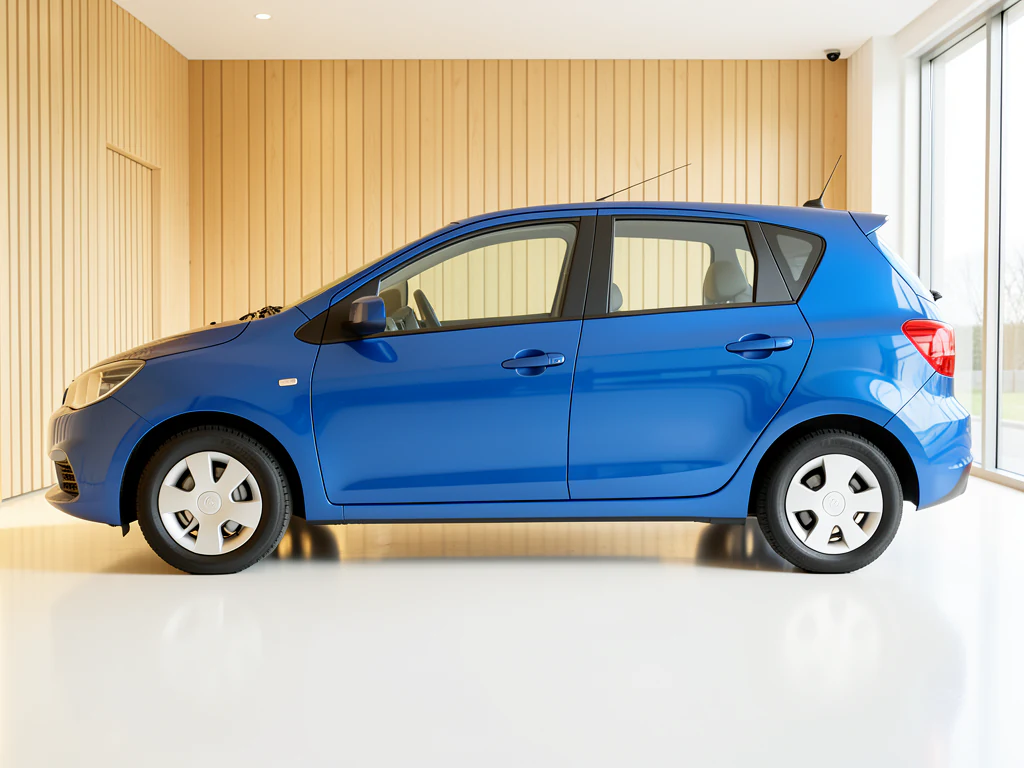
Dealer marketing needs images that a lot photo cannot supply — a vehicle in a bright showroom, on a clean forecourt, in a setting that carries the brand. Building those in reality means moving stock and closing space. This direction generates the scene around a preserved vehicle so the marketing image exists without the vehicle ever leaving its bay.
- Prepared Dealership Photo Generator direction
- Editable prompt
- Source-detail review required
Choose a source image for Dealership Photo Generator
JPG, PNG, WebP, HEIC, and other supported formats. Free up to 20 MB; Premium and higher up to 50 MB for this tool.
Marketing scenes for current stock, with the real dealership details added after
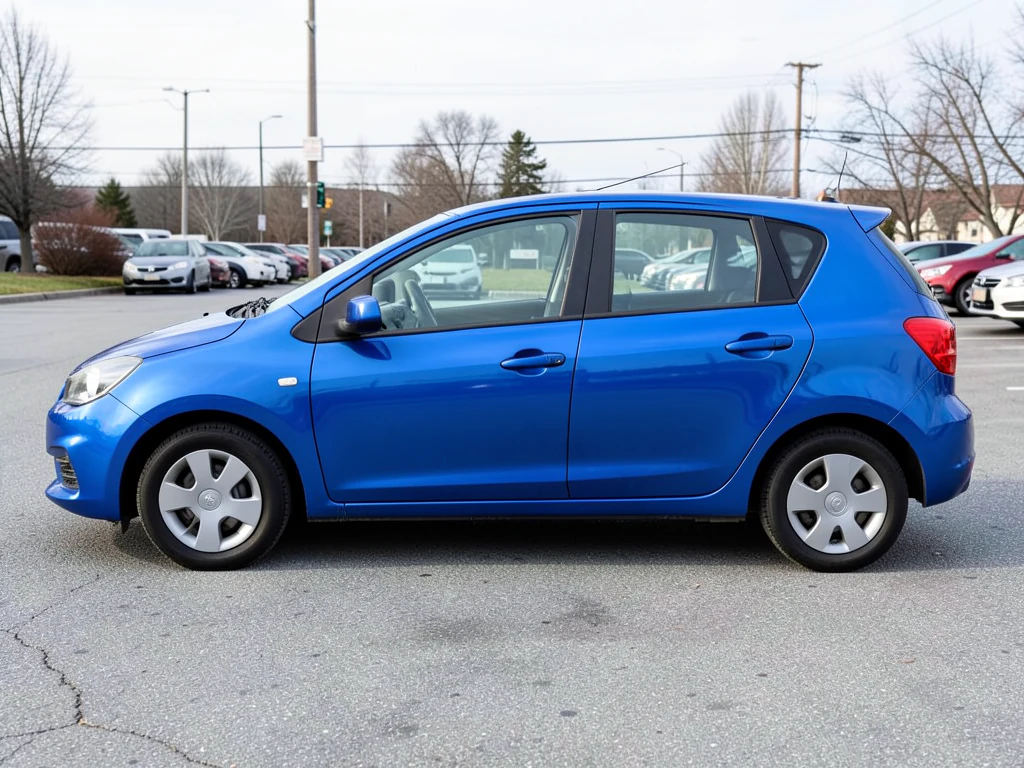
This page builds a fuller scene around the vehicle than a plain listing backdrop, which suits a weekend promotion post or a banner for a new arrival. Start from a well-lit exterior photo of the actual unit you are promoting. The scene is generated around a protected vehicle, so the trim, color and wheels in the ad are the ones on your lot, which matters when a shopper arrives asking for that exact car.
Keep words, prices and logos out of the instruction. The prepared prompt already asks for no invented readable text or logos, and a generated sign with your name on it will look slightly off. Put the offer, the price and your logo on afterward, where they can be spelled correctly and updated when the deal changes.
To finish the creative, place your offer text on the image, add your dealership logo as a watermark, and size it for the placement, such as a 1200x630 link preview. Every ad platform reviews automotive ads under its own rules, so check the platform's policy for edited or generated imagery before you spend on it.
Dealership photo generator: marketing scenes built around real stock
This dealership photo generator builds a fuller scene around a photo of a vehicle on your lot, such as a showroom floor, a plain backdrop, a golden-hour road or a city street, for posts, banners and promotions. The vehicle is found automatically and placed back from your original photo, so the unit in the ad is the unit you have. The scene around it is generated.
Make a campaign image from a stock photo in 5 steps
Start from a well-lit exterior photo of the exact unit you are promoting, with the whole vehicle in frame. The result keeps the shape of the photo, so crop to the post or banner shape first.
Shoot from a few car lengths back at about headlight height on a front three-quarter angle, so the lines look natural, and keep neighboring cars out of the frame. A washed vehicle with clean glass does more for the image than any scene around it.
- Crop the exterior photo to the shape of the placement.
- Upload it and choose a scene under Styles.
- Add one sentence in Custom instructions if you want a particular kind of place.
- Select Generate Product scene.
- Compare the badge, wheels and trim with the real unit, then download the PNG.
Match the scene to the campaign
Showroom floor reads as a new arrival or a featured unit, with a clean indoor floor and even light. Plain backdrop is a smooth gray sweep for a spec-style image. Golden hour is an open road in low evening sun, which suits a weekend feature. City street is a quiet street with blurred buildings, closer to an everyday-use mood. Run one photo through two scenes and choose by how the image looks in the feed, not on its own.
Add the dealership details after generating
Keep words, prices and logos out of the scene and set them afterward, where they can be spelled correctly and changed when the deal does. Add the offer line with a text tool, stamp the logo as a watermark and resize the finished image for the placement. Check the platform's own rules for edited or generated vehicle imagery before you pay to promote it.
Keep the advert honest about the vehicle and the place
The vehicle stays as photographed, so trim, color and condition match the unit. The place does not: the showroom floor, road or street is generated, so it should not imply a facility, a location or a feature you do not have. Look at the windows for reflections of your real lot, check mirrors and antennas at the edge, and keep the original photo with the campaign file.
Set up for Dealership Photo Generator
Prepared settings
- Starting point
- Upload one source image
- The page opens on the correct edit workflow; upload is the only required setup step.
- Prepared workflow
- Prepared Dealership Photo Generator scene direction
- Dealership Photo Generator opens with the Dealership Photo Generator direction preselected, so there is no need to find the operation manually.
- Output shape
- Same as your upload
- The result keeps the shape of the image you upload.
- Review rule
- Preserve the source subject and verify factual details
- Generated imagery can vary; the final result stays under the user's approval before download.
Best-fit uses
- Social and campaign creative for current stock
- Showroom-style hero images without closing the floor
- Consistent marketing scenes across several dealer sites
Frequently asked questions
- Can I use generated showroom scenes in paid advertising?
- Check the rules of the platform and your market first — automotive advertising is closely regulated in many jurisdictions and several ad networks now have their own synthetic-imagery disclosure requirements. The image must never imply a specification, offer or facility that does not exist.
- Should the scene include my dealership branding?
- Add real branding afterwards in a design tool. A generated approximation of your own signage or logo will be subtly wrong, and wrong branding on a marketing asset undermines exactly the recognition it is meant to build.
- Does the vehicle stay accurate to the actual stock?
- The vehicle keeps its photographed pixels, so trim, color, wheels and condition remain as photographed — which matters, because a marketing image showing a specification you do not have in stock creates a real complaint. Only the setting around it is generated; check the edges, mirrors and antennas, which detection can trim.
- What is the difference between this and the dealer photo studio?
- The studio direction produces clean, consistent inventory images for listing pages, where uniformity is the goal. This one produces richer marketing scenes for social and campaigns, where atmosphere matters more than consistency across stock.
- Which scene works best for a new-arrival post?
- Showroom floor reads as a new arrival or featured unit, because it gives a clean indoor floor and even light. Golden hour and City street add atmosphere for weekend posts. Run the same photo through two looks and pick by how each sits in the platform's grid.
- Can I make matching posts for the whole lot?
- Yes. Photograph every unit from the same angle, choose one look and run each photo with it, or use Batch images on Premium to run them together as a ZIP. A matching series reads as one campaign. Open each result and compare badge, wheels and color with the unit before you post.
- Why does the road or street look generic?
- The scenes are generated settings described by the look, such as an open road in low evening light or a quiet street with blurred buildings, not real locations. Add a sentence in Custom instructions about the kind of place, and use the image as atmosphere, not as a statement of where the car is.
- What size should the image be for social posts and banners?
- The result keeps the shape of your upload, so crop to the placement's shape before generating, such as square for a feed post or wide for a banner. Without a paid plan the PNG downloads at web size, which suits screens; Premium or a credit gives the original resolution for large banners.
- Can I show a vehicle that is not on my lot yet?
- Only from a real photo you have the rights to, such as a manufacturer or trade-in photo. The page changes the setting, not the vehicle, and an image of a unit you do not hold misleads buyers. Label upcoming stock clearly in the post text.
What you can do with AI Product Scene Generator
Review the main capabilities before you begin.
- Build a scene around your product from a single photo
- Create editorial, ecommerce, and social campaign concepts
- Generate coherent props, surfaces, lighting, and shadows
- Ask the AI to keep the product as photographed
Settings reference
4 settings
Available controls for AI Product Scene Generator.
Workflow
- Single image or Batch imagesPresets
- Process one image, or use Premium Batch images to apply the same automatic recipe to a set and download one ZIP.Options: Single imageBatch images
Scenes
- One-tap presetsPresets
- Pick a ready-made direction with one tap; generation uses the selected preset automatically.Options: Bathroom counterKitchen lifestyleOutdoor lifestyleEditorial podiumSocial ad
- Custom instructions (optional)Text input
- Describe the requested change, relevant materials, lighting, perspective, and details that must remain unchanged.
Selection
- Selection brush sizeSliderRange: 4–160px · Default: 32px
- The subject area is found automatically. This brush appears only if that automatic area could not be found; paint the area to edit, then generate again.
Related tools for Dealership Photo Generator
Tools for common next steps after Dealership Photo Generator.

Background Studio
Remove Background
Remove a photo background and download a transparent PNG. Review hair and edges before use.
Try it now
Background Studio
Background Changer
Replace a background with a photo, color, gradient or library design. Choose from 21,000+ backgrounds.
Try it now
Photo Enhancement
AI Photo Enhancer
Adjust noise, sharpness, color and scale in one enhancement workflow, then compare the result with the original.
Try it nowWatch each transformation land
Every photo crosses the slash untouched and comes out the other side finished.























