Kids Room Paint Color Visualizer
Generative output can vary; review the full result before publishing
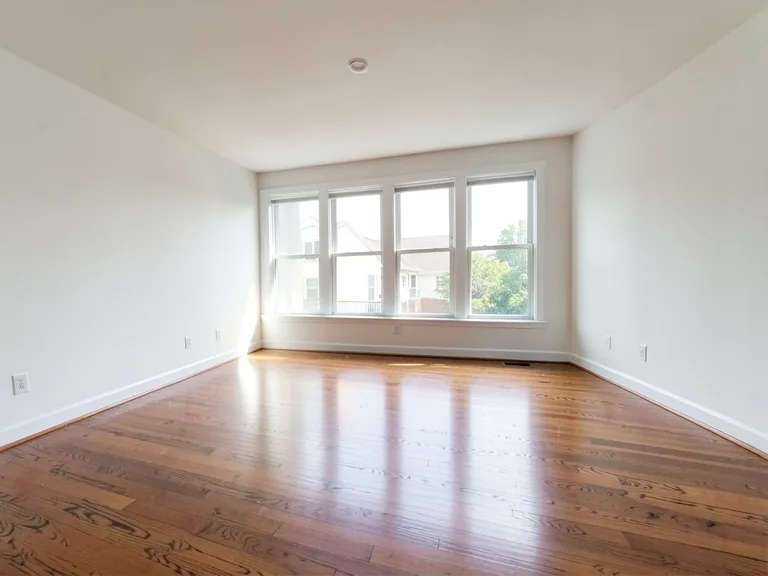
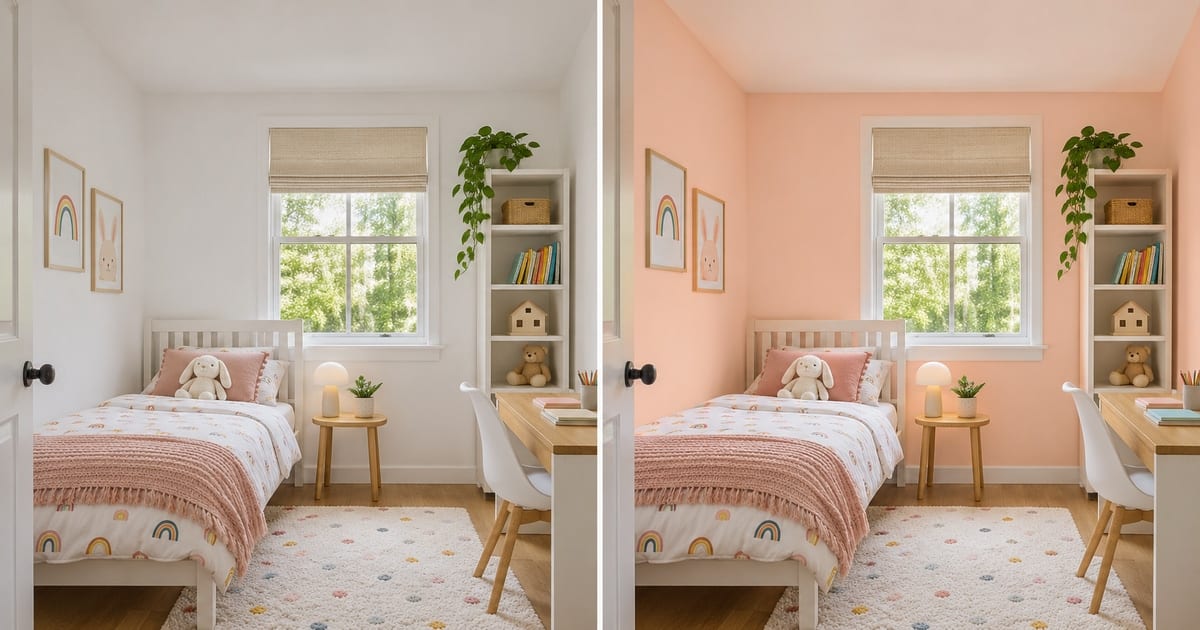
Children's rooms change faster than any other room: the dinosaur phase ends, the pink phase ends, and the paint is still on the wall. Upload a photo of your child's room and this page shows the walls in a few colors that will outlast a theme, so you and your child can agree on something before the weekend of painting. Add a single accent wall for the bold color and keep the rest calm.
- Prepared Kids Room direction
- Editable prompt
- Full-result review required
Choose a source image for Kids Room
JPG, PNG, WebP, HEIC, and other supported formats. Free up to 20 MB; Premium and higher up to 50 MB for this tool.
Colors that survive three different themes
A child will change their mind about favorites many times before the paint dries on the next coat, which is the argument for a calm base and a loud accent. Photograph the room, try a soft blue, green or warm white on all the walls, and add one accent wall where the personality goes.
Letting your child choose between two versions of their own room makes the decision theirs without committing the family to a theme. Posters, bedding and a bold shelf can carry the fun while the walls stay put. If storage is the real problem, see a kids wardrobe or plan the room from scratch as a playroom.
Keep toys and posters out of the frame where you can, because bright objects against the wall make the AI guess at the base color. Mention the child's age in your notes to yourself, and revisit the choice together in a year.
Set up for Kids Room Paint Color Visualizer
Prepared settings
- Starting point
- Upload one source image
- The page opens on the correct edit workflow; upload is the only required setup step.
- Prepared workflow
- Prepared Kids Room room
- Kids Room Paint Color Visualizer opens with the Kids Room direction preselected, so there is no need to find the operation manually.
- Output shape
- Same as your upload
- The result keeps the shape of the image you upload.
- Review rule
- Review the complete generated result before use
- Generated imagery can vary; the final result stays under the user's approval before download.
Best-fit uses
- Let your child choose between two colors on a real photo
- Pick colors that last beyond one theme or age
- Plan a bold accent wall with calm walls around it
Frequently asked questions
- How do I pick a color that will not feel childish in two years?
- Keep the walls to a soft, flexible color such as a pale blue, green or warm white, and put the personality in the accent wall, bedding and posters. The accent wall item on this page shows that split so you can judge it before you paint.
- Can my child help choose?
- Yes, and it works well. Show two or three versions of the real room on a phone and let them pick. A choice made from a picture of their own room is easier to live with than a color chosen from a shop chart.
- What should I review in a Kids Room result?
- Inspect faces, hands, object geometry, small details, perspective, readable marks, and any claim implied by the scene. Regenerate or reduce the requested change when something is inaccurate.
- What rights checks apply to a Kids Room client project?
- Use only source material and references you have rights to, follow the destination platform rules, and obtain any required person or property permissions. Generated output still needs a human accuracy and rights review.
What you can do with AI Real Estate Photo Editor
Review the main capabilities before you begin.
- Stage complete rooms automatically for disclosed concepts
- Add selected TVs, wall colors, or landscaping precisely
- Remove described cables, bins, signs, and distracting clutter
- Replace skies and create realistic twilight exteriors
- Refine automatic edit areas manually when needed
Settings reference
5 settings
Available controls for AI Real Estate Photo Editor.
Tasks
- Edit typeDropdown
- Choose the edit to perform; prompts, selection tools and output controls follow the selected edit type.Options: Text-based editGenerative fillMagic eraserSky replacementRoom staging
- One-tap presetsPresets
- Pick a ready-made direction with one tap; generation uses the selected preset automatically.Options: Add furnitureAdd TVPaint walls warm whiteTwilight skyReplace skyRemove clutterRefresh landscaping
- Custom instructions (optional)Text input
- Describe the requested change, relevant materials, lighting, perspective, and details that must remain unchanged.
Selection
- Selection brush sizeSliderRange: 4–160px · Default: 32px
- Set the brush width used to mark the exact add, fill, or replacement area required before generation.
Output
- Ask AI to preserve subject identity and product detailsOn / Off
- Adds an explicit instruction to retain the main subject, shape, branding, labels, and readable text unless the request changes them.
Related tools for Kids Room Paint Color Visualizer
Tools for common next steps after Kids Room Paint Color Visualizer.
Virtual Staging & Property
Virtual Staging AI
Virtually stage empty rooms with AI furniture for real-estate listings. Create living room, bedroom, office, dining, and luxury concepts.
Try it now
Virtual Staging & Property
AI Room Staging
Stage empty or dated rooms with AI furniture and décor. Create living rooms, bedrooms, offices, dining rooms, and interior style concepts.
Try it now
Photo Enhancement
AI Photo Enhancer
Adjust noise, sharpness, color and scale in one enhancement workflow, then compare the result with the original.
Try it nowGuides for this tool
- How to Prepare Real Estate Listing Photos in Bulk for an AgencyOrganize bulk real estate photo editing with Pixoate. Keep properties, room sequences and concept images clear across an agency's listing workflow.
- How to Remove Temporary Clutter from Real Estate Photos with AIRemove temporary clutter from real estate photos with Pixoate. Review cables and stray objects while preserving the property's actual condition.
Watch each transformation land
Every photo crosses the slash untouched and comes out the other side finished.