Small digits create large disputes
Glare, dirty covers, leading zeros, and analog dial direction can turn a quick transcription into a costly mistake.
This is an administrative reading aid, not a utility bill, certified reading, leak diagnosis, or usage forecast.
A meter photo is good evidence but a poor spreadsheet. Convert routine electric, gas, or water meter photos into rows your property or operations team can compare without opening every image again.
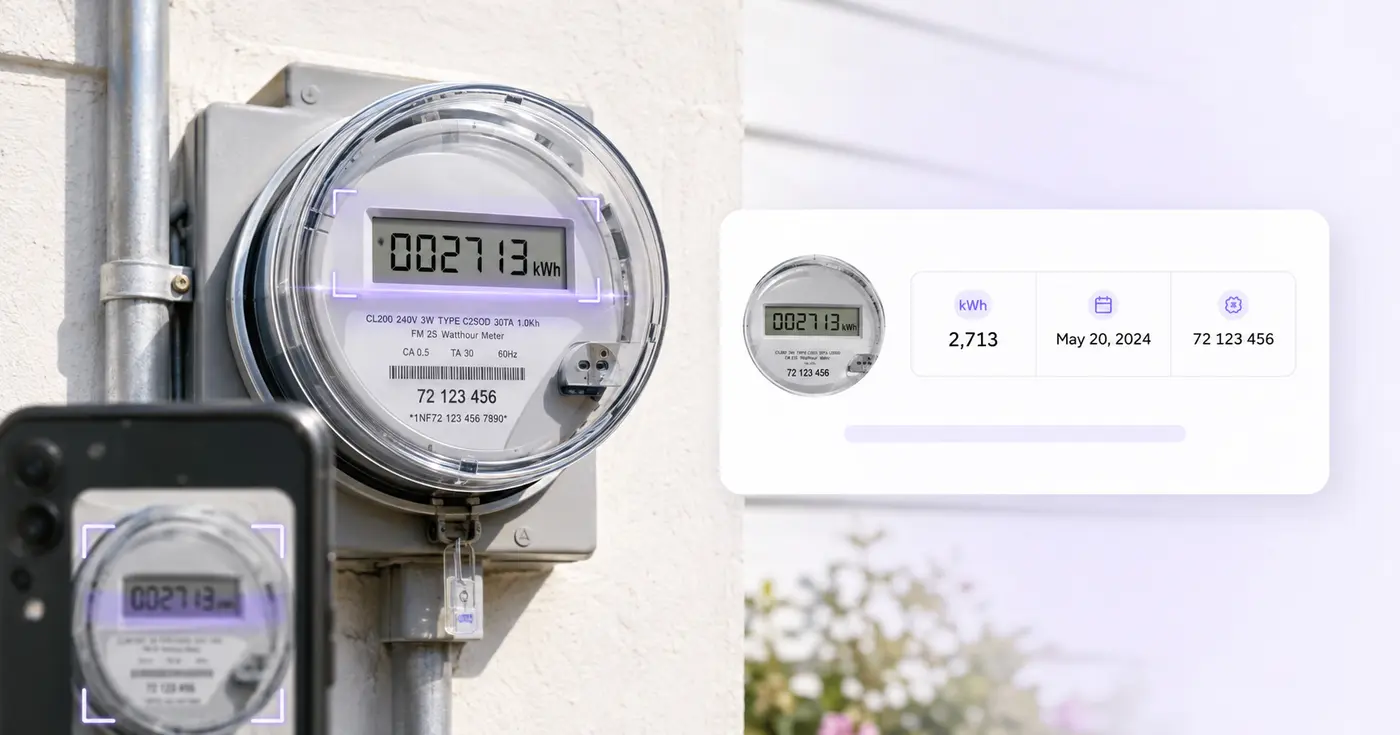
The Utility Meter Reader turns a photo of an electric, gas or water meter into an editable row with cells for the reading, unit, meter number, meter type, date and location. Use it on a property walk to build a reading log without typing numbers from the camera roll. Review each value against the meter face, then download the rows as CSV or save them as a meter register in your account.
Include the whole display, the unit printed near the digits and, when you can, the meter number or a unit label. The reader recognizes common unit marks such as kWh, CCF, m3 and gal, and uses them to find the reading and fill the Unit cell. Pointer dials are harder than a digital display or a roller counter, so check them closely against the photo.
The Reading cell holds digits only, written as shown on the meter. Leading zeros stay, and commas for thousands and a decimal point are accepted. The unit goes in its own Unit cell, so typing kWh into the reading is flagged and blocks saving until you move it. That separation keeps the CSV easy to sort and to compare month to month.
Each photo becomes one row with Property or Account, Meter Number, Meter Type, Reading, Unit, Reading Date and Location, so one run can cover a floor of submeters or a set of properties. Up to 25 photos go through at once. Saved records lists everything you kept, and Download saved register (CSV) exports the readings together for a spreadsheet or a submetering workflow.
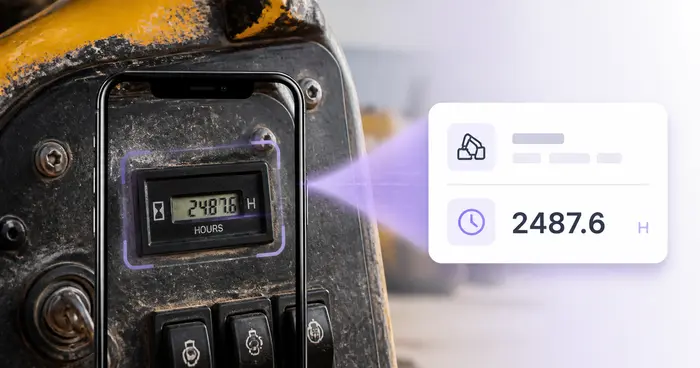
It stores the number you verified. It does not calculate consumption or cost, certify a meter or authenticate a photo, because usage needs the right earlier reading, the meter multiplier and the billing period. For a move-in or move-out file, lay the meter photos out as a captioned PDF report, and for a pump or generator on the same round, log its running hours.
The real problem
Property teams often inherit dozens of timestamped meter pictures. Matching each number to a unit and typing it into a workbook costs more time than taking the readings.
Glare, dirty covers, leading zeros, and analog dial direction can turn a quick transcription into a costly mistake.
A reading without the property, unit, account, or meter number cannot be trusted in a multi-site portfolio.
A single photograph cannot establish usage unless it is matched with the correct prior reading and meter configuration.
How Pixoate helps
Pixoate requests the visible reading and identity fields, flags uncertain OCR, and keeps all cells editable. The result is a simple record your team can save or export—not a claim about billing accuracy.
Include the entire display and, when possible, the meter number or nearby unit label in a clear image.
Confirm electric, gas, or water; preserve leading zeros; and manually resolve analog dials or obscured values.
Use the CSV in your property, submetering, audit, or maintenance workflow, or retain the records in Pixoate.
Collect move-in, move-out, common-area, and tenant submeter readings in a consistent format.
Create periodic electric, gas, or water snapshots across several buildings.
Turn site-visit evidence into a verified starting table for later professional analysis.
It can attempt visible numeric displays and printed identifiers on those meters. Meter designs vary, and analog dials often need careful human interpretation.
No. The tool stores the current reading. Consumption requires the correct prior reading, multiplier, rollover rules, units, time period, and tariff information.
The exported log can help organize your observations, but Pixoate does not certify the meter, authenticate the photo, or determine what a utility should bill.
Take a straight-on image that shows every dial clearly and avoids parallax. Because adjacent dials can rotate in opposite directions, manually verify the final value.
Yes. Readings are stored as editable text so leading zeros can be preserved. Compare the row with the display before exporting it.
The schema includes property or account, meter number, meter type, reading, unit, reading date, and location as separate fields.
It recognizes kWh, MWh, Wh, CCF, MCF, ft3, m3 and gallons printed beside the digits, and uses them to fill the Unit cell. For any other unit, type it into the Unit cell yourself, and compare the reading with the meter face.
The Reading cell accepts digits only, with optional commas and one decimal point. A unit, a stray letter or a space triggers the warning to verify the reading and keep the unit in its separate field. Remove the extra characters, put the unit in the Unit cell, and the row can be saved.
Yes. Meter Type is its own cell, so one register can hold all three side by side, and every row carries its own unit. Filter the exported CSV by Meter Type in your spreadsheet when you want one utility at a time.
A screenshot saved as an image is accepted, and a PDF is not, because the utility meter reader takes image files only. If your reading came in a PDF, export the page as a picture with PDF to Images, then upload that picture and check the values.
Photograph the meter each month, set Reading Date and the same Meter Number on the row, and save it. Every saved record stays under Saved records, and the exported register lets you compare the months side by side. The tool does not subtract readings, so do that step in the sheet.
You do not need an app. Open the Utility Meter Reader in your phone browser, photograph each meter, upload the pictures and check the rows on screen. Sign in to save the readings to your account, or download the CSV and open it later on a computer.
A backup generator's running hours belong in an hour-meter log for each machine, and the extinguisher tags in the hallway can feed a reminder list for service dates. For move-in or move-out evidence, lay the photos out as a captioned PDF report.
Tools for common next steps after Utility Meter Reader.
OCR & Data Extraction
Read machine hour meters from photos, verify the digits and decimals, and build an editable equipment utilization log.
Try it nowOCR & Data Extraction
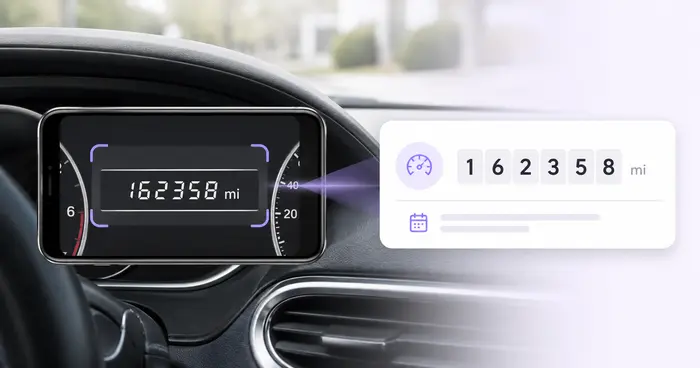
Read dashboard odometers from photos, verify the mileage, add vehicle and trip context, and export or save an editable log.
Try it nowOCR & Data Extraction
Extract a table from a photo or screenshot and download an editable .xlsx with rows and columns preserved.
Try it nowEvery photo crosses the slash untouched and comes out the other side finished.