How to Visualize a Garden or Backyard Makeover Before You Dig
Photograph your garden, preview layouts, patios and planting ideas, then check sun, drainage and rules before you build anything.
Written by the Pixoate team. We check how each tool behaves before we describe it, and we date any prices or portal rules we quote.
A garden is slow and expensive to change. Plants take seasons to grow, paving is hard to lift and a patio built in the wrong place stays wrong. That is exactly why it helps to see an idea before you dig: you can compare layouts, materials and planting styles on a photo and spot problems while they cost nothing.
This guide shows how to prepare a photo, preview a garden or backyard makeover, and turn a favorite concept into a realistic plan.
The quick route
- Decide how you want to use the space: relax, entertain, grow, play.
- Photograph the garden from the house and from the far end.
- Preview one idea at a time on the photo.
- Check the concept against sun, drainage, size and budget.
- Build in phases, starting with the structure.
Start with how you use the space
A garden that looks good but does not suit your life gets ignored. Write down what you want: a place to eat outside, a lawn for children, vegetable beds, a quiet corner, privacy. Then note the fixed facts: where the sun falls, where water collects, where the fences and the utilities are, and what the soil is like. The wider approach is described in how to visualize a home renovation before spending money.
Take photos that work for previews
- Photograph from the back door looking out, and from the far end looking back.
- Take them in even daylight, not strong midday shadows.
- Keep the camera level and include fences, boundaries and any fixed structures.
- Clear tools, bins and toys, which can confuse the result.
- Take a few close-ups of areas you plan to change.
Preview the makeover
Open Garden Design AI for planting and lawn ideas. The starting concept adds curved beds of lavender, roses and ornamental grasses, a stepping-stone path and a healthy lawn, with an instruction to keep the property, fences and perspective as they are. For a patio or entertaining space, use Backyard Design AI, whose starting concept adds a natural stone patio, a cedar pergola with outdoor seating, a lawn and planted borders, again preserving boundaries and perspective.
Both run on the real estate photo editor. Use the add-on buttons to include items such as outdoor dining, lounge seating, a fire pit, string lights, planters or a pergola, and write your own instruction for anything else.
A worked example: the long thin garden
Imagine a narrow rectangular garden, a lawn running from the back door to a fence, with the sun reaching the far end in the afternoon. The family wants somewhere to eat outside, a play area for children and a few plants.
They preview two layouts on a photo taken from the back door. In the first, a small patio sits against the house with the lawn beyond it, which makes it easy to carry food out but leaves the patio in shade most of the afternoon. In the second, the patio moves to the far end where the sun is, with a path leading to it from the door. The second looks lovelier in the afternoon light, but it means carrying plates a long way and leaves the play area closer to the house.
Seeing both lets them weigh what matters. They choose a small patio by the door for everyday use and a bench at the sunny end for evenings, which neither original plan had included. The preview showed a trade-off that a drawing might have hidden.
Compare layouts, not just styles
Generate two or three versions with different layouts: for example, a patio near the house against one at the far end, or a straight path against a curved one. Ask yourself which layout fits how you use the space, and which keeps the sunniest area for what you value most.
Materials, maintenance and the seasons
A garden is a living space, and its materials age differently. Natural stone and good paving last for years and need little care, but they cost more to install. Timber decking looks warm but needs regular treatment, and it can become slippery in damp conditions. Artificial lawn avoids mowing but can heat up in sun and has a very different feel underfoot. Lawns look lovely but need regular mowing, feeding and watering.
Plants change with the seasons, so a garden that looks full in summer may look bare in winter. Mixing evergreens with seasonal flowers and a few plants that offer winter interest keeps the space attractive all year. Think about how much time you want to spend maintaining it. A low-maintenance design with strong structure and a few well-chosen plants will often be more satisfying than an ambitious one that becomes a burden.
Check the concept against real conditions
A preview cannot see your soil, sun, drainage or local rules. Before you build:
- Check how much sun each area gets through the day and season.
- Look at drainage, and avoid putting paving where water collects.
- Choose plants suited to your climate and soil, and check their mature size.
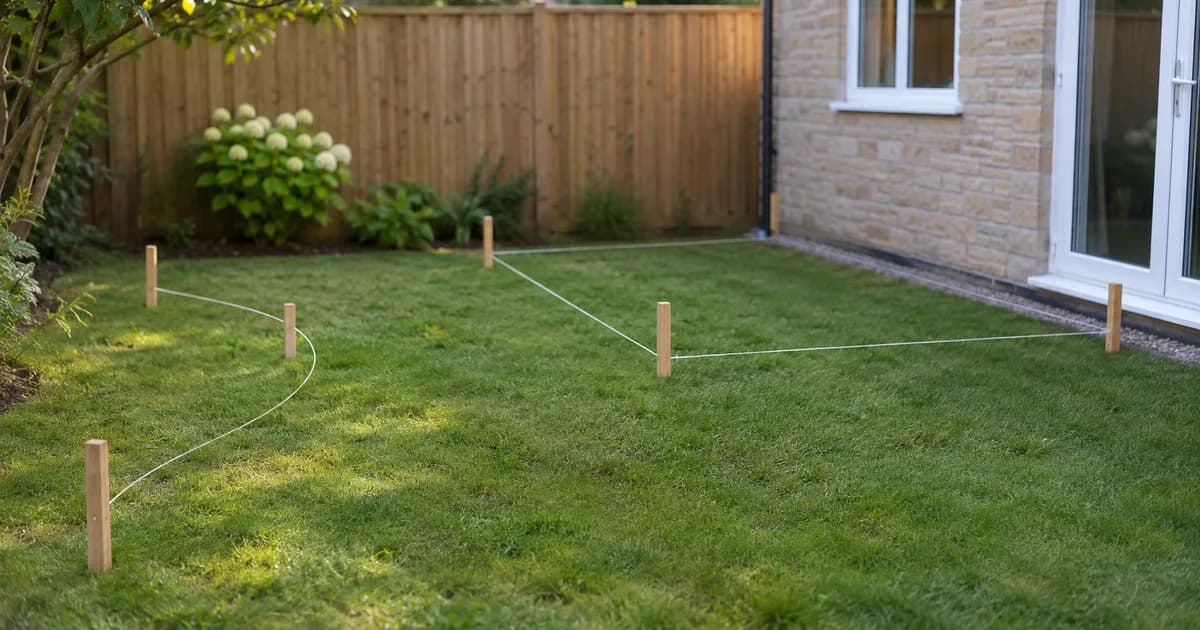
- Measure the space and mark proposed beds and paving on the ground with string or spray paint.
- Check local rules for structures, fences and trees, and find where utilities run before digging.
- Get quotes for hard landscaping, which is usually the largest cost.
What a picture cannot tell you about a garden
A garden image is a snapshot of one moment, but a garden changes constantly. Plants grow for years, and a tree that looks small in a concept may shade the patio in a decade. Leaves fall, lawns brown in summer and flower beds look sparse for the first season. A preview shows an idealized version, which can be useful for direction but misleading for timing.
Take a few practical steps to ground the concept. Check mature sizes for any plants or trees. Watch where the sun and shade fall at different times of day and year. Walk the garden after heavy rain to see where water collects. And talk to a local nursery or garden center about what actually thrives in your soil and climate. These checks take little time and prevent the most common disappointments.
Build in phases
A garden does not have to be done at once. A sensible order is structure first, such as drainage, paths and patio, then lawn and larger plants, then borders and details. Phasing spreads the cost and lets you adjust as you see how you use the space.
Starting small
If the full concept feels overwhelming, start with one change that improves how you use the space. A level, well-drained seating area, a tidy lawn edge or a simple path can transform a garden without a large budget. Live with it for a season, notice how you use the space, and let the next step become clear. Gardens reward patience, and a phased plan that you can afford usually ends up better than a full redesign that you rush.
Be honest if you are selling
A garden concept helps you plan. If you are listing a home, do not present a concept as the existing garden. Use real photos of the property, and label any digital design. See real estate photography mistakes that turn buyers away for what to avoid.
Setting a sensible order and budget
Garden projects are easiest to manage when you separate the hard and soft elements. Hard landscaping, such as paving, walls, steps and drainage, is expensive and difficult to change, so get it right first. Soft landscaping, such as plants, turf and borders, is cheaper and can grow over time.
Start with anything that affects safety, drainage or access, then build the main structures, then add planting, and finish with details such as lighting, pots and furniture. Set a budget for each stage and keep a reserve for the unexpected, since digging often reveals roots, rubble or buried pipes. If you are doing the work in stages, make sure each stage looks finished on its own, so the garden is pleasant to use while the rest takes shape.
Related guides
For the wider picture, see our guide to visualizing a renovation.
Frequently asked questions
Can I see a garden design in my own photo?
Yes. Upload a photo of your garden, describe the changes you want, and generate a concept. Use it to compare ideas, then confirm with measurements and professional advice.
Will the plants in the concept match what grows in my area?
Not necessarily. The tool does not know your climate or soil. Choose plants that suit your conditions and check their mature size.
Is a preview a landscape plan?
No. It is a visual idea. A landscape plan needs measurements, drainage and planting details from a qualified designer or contractor.
Can I preview a patio and a lawn together?
Yes. Describe both in your instruction, or generate separate versions and combine the ones you like.
A garden grows into its design over years, so it pays to be clear about the layout first. Garden Design AI can sketch a layout on your own photo for you to mark out on the ground.