
For freelancers, contractors & small businesses
Free Online Document Generators — Invoice, Resume and Certificate Maker
Build polished invoices, resumes, certificates, business cards, and QR codes from clean templates — no design software or layout wrestling.
Templates & Generators
CV, invoice, certificate, business card, QR code and favicon generators.
Job Photo Report Builder
Organize before, during and after photos with captions and project details, then create a client-ready PDF report.
Try it now
QR Code Generator
Create static QR codes for supported URL, WiFi, UPI, phone and email data without a hosted redirect.
Try it now
Password Generator
Generate random passwords up to 128 characters. Choose which character types to include.
Try it now
Resume Builder
Enter your details, review the resume layout and download a PDF.
Try it now
Invoice Generator
Add invoice line items, tax and discounts, review the live preview and download a PDF.
Try it now
Business Card Maker
Choose a business-card layout, set the content and colors, and download a 10-up A4 PDF for printing.
Try it now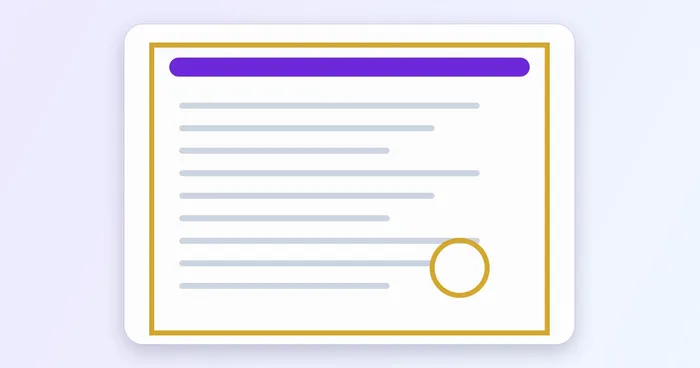
Certificate Generator
Choose a certificate template, add names and signatories, set an accent color and download a landscape A4 PDF.
Try it now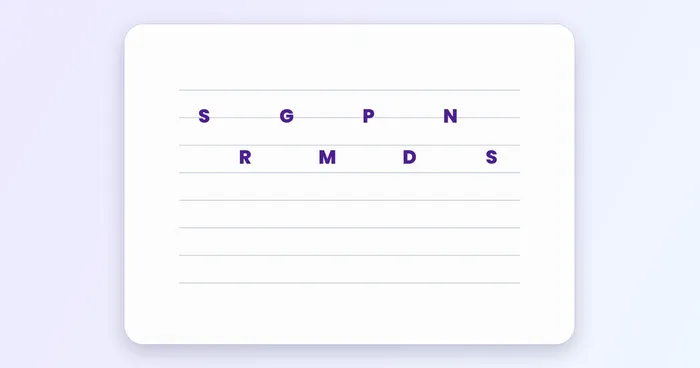
Music Notation Maker
Write taal notation, add lyrics, and download PNG, PDF or Excel.
Try it now
Favicon Generator
Create a complete favicon pack from an image, one-to-three-character initials, or an emoji or symbol.
Try it now
Signature Generator
Draw or type a handwritten signature online and download a transparent PNG for PDFs, documents, and email.
Try it nowMake an invoice, resume, certificate, business card or QR code online
Each generator turns a short form into a finished document: type the details, watch the preview update and download a PDF or an image. Pick the document you need below. The layouts are ready-made, so you need no design skills or layout software, and when you want a freeform design instead, start from an editable template on a full canvas.
Create an invoice with line items, tax and totals
Make an invoice online by entering your business details, the client and each line item with a quantity and rate. Tax and discount percentages feed the subtotal and total automatically, you can choose a currency and add payment terms, and the preview shows the A4 page before you download the PDF. The generator calculates from the rates you type and does not look up local tax rules. To restyle the whole page yourself, invoice and estimate templates are editable A4 layouts.
Build a resume or CV as a PDF
Build a resume by filling in the profile, experience, education and skills sections, then choose a single-column template, an accent color and a font. You can import an older PDF or DOCX resume to pre-fill the fields and review them. Versions stay on your device, so you can keep one tailored resume per job. The PDF is the standard download, and the Word version is a Premium option. For a layout you design yourself, resume and CV templates are editable A4 pages.
Certificates and business cards for print
Create a certificate on a landscape A4 template: enter the recipient, title and description, add up to 2 signatories and set an accent color. Design a business card by choosing a layout and your colors; the PDF puts 10 cards of 85 × 55 mm on one A4 sheet, ready to send to a printer. For freeform versions, browse certificate and label templates or business card templates.
QR codes, favicons, signatures and photo reports
Generate a QR code for a link, a WiFi network, a UPI payment, a phone number or an email. The codes are static, so they carry your data directly with no hosted redirect, and the PNG download is clean. Create a favicon pack from an image, initials or an emoji and download the icon sizes in one ZIP, and draw or type a signature to save it as a transparent PNG for documents and email.
For jobs that need before, during and after photos, organize them with captions and project details, then build a job photo report and download a client-ready PDF to send to the customer.
Before you download
- Check names, amounts and dates on the preview; the file is built from exactly what you typed.
- Tax rates, payment terms and legal wording are yours to set; the generators do not check them for your country.
- Scan a QR code with a phone before you print it in volume.
- Keep a copy of every invoice, resume or certificate you send.
Frequently asked questions
- Is the invoice generator free, and do I need an account?
- It is free to start. You can fill in the form, check the live preview and download the PDF without creating an account, subject to fair use. Keep a copy of every invoice you send for your own records.
- Does the invoice generator calculate tax and discounts?
- Yes. Enter a tax percentage and a discount percentage and the subtotal, discount, tax and total update on the invoice. It uses the rates you type and does not look up local tax rules.
- Is the resume builder ATS friendly?
- The layouts use real text in a single column with standard section headings and no tables or graphics, which applicant tracking systems read more reliably. No layout controls how every system reads a file, so check the result in the application form.
- Can I import my existing resume?
- Yes. Upload a PDF or DOCX resume and the builder pre-fills the fields it can detect. Review every field afterward, because detection is not exact.
- What size are the business cards?
- Cards are 85 × 55 mm, with 10 to an A4 PDF. Print the sheet at actual size and trim along the card edges.
- Do QR codes from the generator expire?
- The codes are static: they encode the link or text itself, with no hosted redirect, so they do not expire and keep working as long as the destination does. Test the printed code with a phone.
Watch each transformation land
Every photo crosses the slash untouched and comes out the other side finished.























