How to See Wall Colors in Your Room Before You Paint
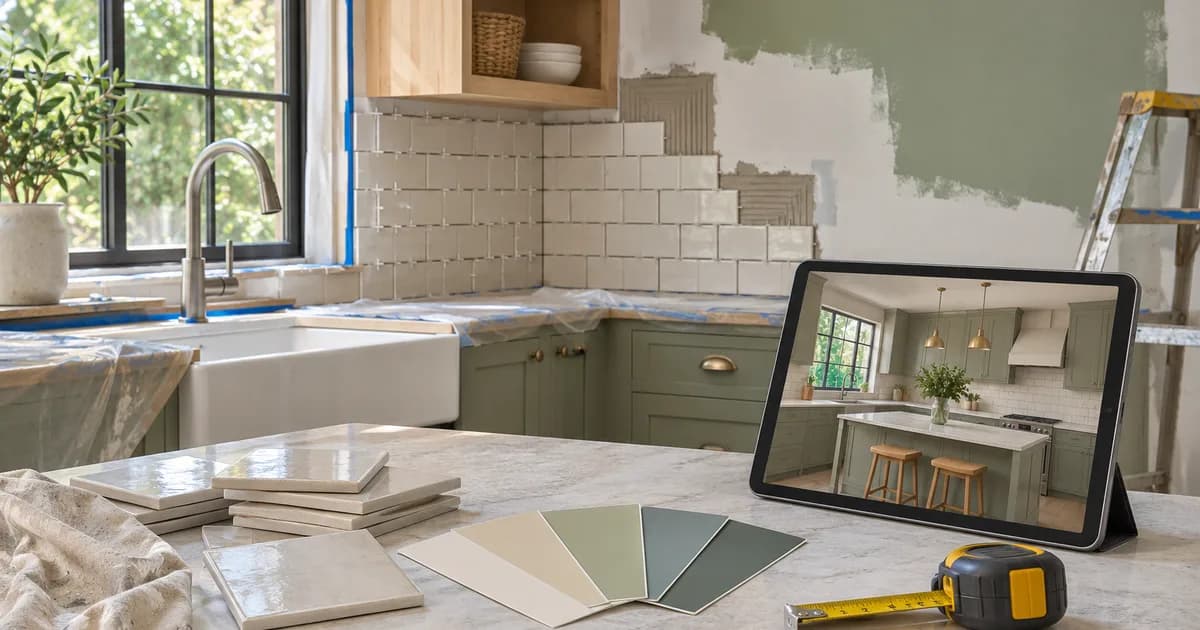
Preview two or three paint colors on a photo of your room, compare them next to fixed colors and confirm with real samples in your own light.
Written by the Pixoate team. We check how each tool behaves before we describe it, and we date any prices or portal rules we quote.
Paint is one of the cheapest ways to change a room, and one of the easiest to regret. A color that looks calm on a small card can turn cold on a large wall, and the same shade changes between morning light, evening light and lamp light. Many people repaint because they could not picture the result.
You can reduce that risk by testing colors on a photo of your own room first, then confirming with real samples. This guide shows how.
The quick route
- Photograph the room in the light you see it most.
- Pick two or three candidate colors, not twenty.
- Preview each one on the walls and compare them side by side.
- Test real paint samples on the wall before you buy.
- Check the color at different times of day.
Decide what the room needs
Start with the feeling you want: bright, calm, warm, dramatic. Then look at what stays the same: flooring, furniture, curtains and trim. A color has to work with those, because you are not repainting them. Write down the fixed colors so you can compare against them.
Take a photo that shows color well
- Shoot in the light you want to judge, such as the late afternoon sun in a living room.
- Turn off lights that add a strong yellow or blue tint.
- Keep the camera level and capture whole walls.
- Take one wide shot and a few of the wall you plan to paint.
- Clear clutter, so it does not distract.
Phone cameras adjust color automatically, so use the photo to compare options, not to match a paint chip exactly.
Preview the colors
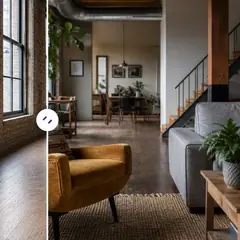
Open the Interior Paint Visualizer and upload your photo. The starting prompt repaints the walls in a soft sage green with an instruction to keep trim, ceiling, doors, windows and furniture as they are and to match the existing lighting. Change the instruction to name the color you want to test, for example "warm white," "deep navy" or "pale grey with a warm undertone."
Generate a version for each candidate color. For repainting a feature wall only, say so in the instruction. Other changes, such as floors, are handled by the Flooring Visualizer, and the real estate photo editor lets you describe any other change in your own words.
Compare like a decision-maker
Put the original and the options next to each other and ask:
- Does it suit the furniture and flooring that stay?
- Does it make the room feel the way I want?
- Does the trim still look right against it?
- Would I still like it on a cloudy day?
- Does it work with the colors in neighboring rooms?
If two options feel close, pick the one that looks better beside the fixed colors.
Finish, sheen and undertone
Choosing a color is only part of the decision. The finish changes how the same paint looks and behaves. Matt hides imperfections and looks soft, but it marks more easily and is harder to clean. Satin or eggshell reflects a little light, wipes clean more easily and suits busy rooms. Gloss is very reflective and shows every flaw on the wall, so it is usually kept for trim, doors and woodwork.
Undertone is the hidden tint inside a color. A grey can lean blue, green or purple, and a white can lean yellow, pink or grey. Undertones show up beside other colors, so compare your sample with your floor, curtains and furniture. Hold a white sheet of paper beside the sample, and the undertone usually becomes clear. Checking finish and undertone is what turns a pretty swatch into a color you are happy to live with.
Confirm with real paint samples
A preview is a visual idea, and a screen cannot show true paint color, finish or texture. Before you buy:
- Buy sample pots of your top two colors.
- Paint large patches on the wall, not a small card.
- Look at them in the morning, afternoon and evening, and with lamps on.
- Look from different angles, since some paints change as you move.
- Check how the finish, such as matte or satin, looks in your light.
Why the same paint looks different everywhere
Color is never fixed. It depends on the light that falls on it, the colors around it and what is on the wall behind it. A north-facing room gets cooler, steadier light, so greys can look blue and whites can look dull. A south-facing room gets warmer, stronger light, so the same grey looks softer and whites look brighter. Artificial light is different again: warm bulbs push everything toward yellow, and cool ones push toward blue.
This is why a color that looks perfect in a shop disappoints at home. It is also why a preview on your own photo is useful, since it shows the color in your actual room and your actual light. Pair that with a large sample on the wall, and look at it at breakfast time, in the afternoon and under lamps in the evening. A color you still like at all three times is a safe choice.
Avoid common paint mistakes
- Choosing from a tiny chip without testing a large patch.
- Ignoring the undertone, which can make a white look pink, yellow or blue.
- Forgetting that dark colors can make a small room feel smaller.
- Skipping the ceiling and trim, which affect how the wall color reads.
- Not budgeting for primer or extra coats.
A short example: choosing between three whites
Consider someone repainting a living room who has narrowed the choice to three whites: a bright clean white, a warm cream and a soft grey-white. On the preview, the bright white looks sharp and slightly cold next to their wooden floor. The cream looks cozy but makes the room feel a little smaller. The grey-white sits between them and flatters the floor.
They buy sample pots of the cream and the grey-white, paint a large patch of each, and live with them for three days. By the weekend, the grey-white looks flat in the evening, while the cream looks warm and inviting under lamps. They choose the cream. The preview narrowed the field quickly, and the samples made the final decision, which is exactly the order that saves money and regret.
Accent walls and flow through the house
An accent wall can add character without painting a whole room in a strong color. Choose the wall that draws the eye naturally, such as the one behind a bed or sofa, rather than one with many windows and doors. Preview it in the photo to check the balance, and make sure the color sits well with the rest of the room.
Think too about how rooms connect. Colors that look lovely separately can clash when you can see both at once, such as through an open doorway or along a hallway. Choose a related palette for connected spaces, with one or two repeated colors, so the house feels cohesive. Previews of each room help, but also stand in the doorway and imagine the transition. A little planning keeps the whole home feeling intentional.
Related guides
For wider changes, read how to visualize a home renovation before spending money. If the room is also small, see how to make a small living room look bigger. Outdoors, how to visualize a garden or backyard makeover covers layouts and planting.
Frequently asked questions
Can I see a paint color on my own walls before I buy?
You can preview a color on a photo of your room to compare options. A preview is a visual idea, so confirm with a real sample on the wall before you buy.
Will the preview match the real paint exactly?
No. Screens, cameras and lighting change how color appears. Use it to choose between options, then test a sample.
How many colors should I test?
Two or three. Too many choices make it harder to decide.
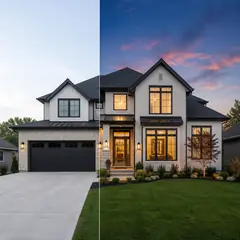
Can I preview colors on exterior walls?
Yes, using a photo of the exterior and an exterior prompt. The exterior paint visualizer is built for this.
A preview narrows the choice and a sample tin makes it. To narrow yours, the Interior Paint Visualizer will repaint the walls of your own photo in the colors you name.