Event & Wedding Decor Visualizer Tools
Visualize wedding, party and festival decoration in a photo of the venue.
Event & Wedding Decor tools
Wedding Decor Visualizer
Standing in an undecorated hall and can't picture the wedding?
Try it nowMandap Visualizer
See a mandap at realistic scale in your own venue photo — structure, drapes and florals — so families and decorators agree on one picture, not words.
Try it nowWedding Stage Decoration AI
Every ceremony photo has the stage behind it.
Try it nowBanquet Hall Decoration Visualizer
Preview maharaja, marigold or south indian decor themes on your banquet hall's own photo — for couples choosing a look and owners marketing the venue.
Try it nowParty Decoration Visualizer
Preview birthday, baby shower or anniversary decor in your real room before you buy a single balloon.
Try it nowEvent Stage Designer
Turn a venue photo into conference, launch or awards staging concepts with clean space for your branding — approval visuals without day-rate renders.
Try it nowChristmas Decoration Visualizer
See lights on your house and the tree in your room before buying anything or climbing a ladder.
Try it nowDiwali Decoration Visualizer
Plan the festival of lights before the market run — preview rangoli, diyas and string lights on a photo of your own home, then shop for exactly that.
Try it nowHalloween Decoration Visualizer
Preview the Halloween display on a photo of your own yard or porch before spending on props.
Try it nowBrowse every ready-made page
Wedding Decor Visualizer19 pages
By theme
By element
Banquet Hall Decoration Visualizer6 pages
Party Decoration Visualizer8 pages
Event Stage Designer4 pages
Christmas Decoration Visualizer5 pages
Diwali Decoration Visualizer4 pages
Halloween Decoration Visualizer3 pages
More in Virtual Staging & Room Visualizers
Event and wedding decor visualizer: see the venue before you book
Decoration plans are hard to describe and easy to misjudge. These tools place stages, florals, lighting, seating and seasonal decor in a photo of the actual venue, so you can show a decorator exactly what you mean and compare ideas with your family. Use a clear photo of the hall, lawn or room, and describe the theme.
Plan a wedding venue
The Wedding Decor Visualizer has pages for ceremonies, themes and individual elements, and the Wedding Stage Decoration tool focuses on the stage backdrop. For Indian ceremonies, the Mandap Visualizer previews the structure, drapes and florals within your own venue photo.
Decorate a banquet hall or a party room
The Banquet Hall Decoration page suits receptions in a hall, and the Party Decoration Visualizer covers birthdays and other gatherings with balloons, banners and tables. Choose a color scheme first, then add the items you want under Add to your result.
Design a stage for a conference or show
The Event Stage Designer imagines a stage and its backdrop for conferences, product launches, award ceremonies and trade-show booths. It helps a team agree on the look before anything is built, and it gives a supplier a visual brief.
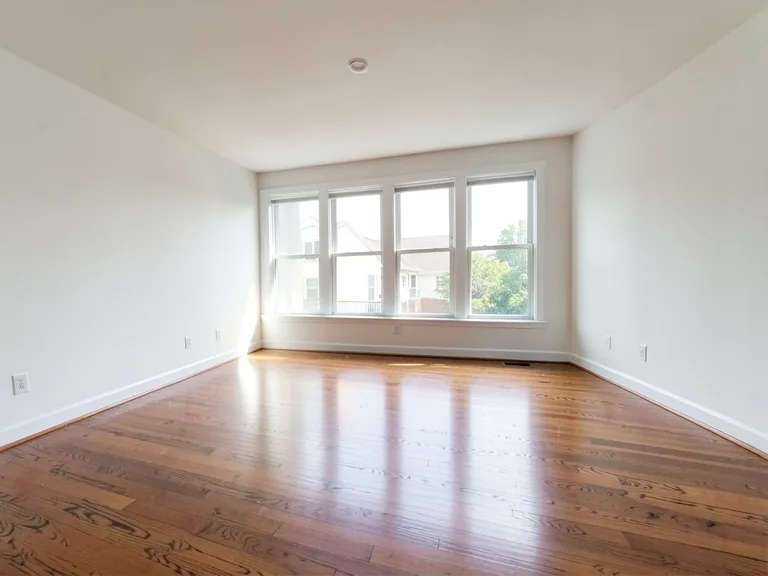
- Upload a photo of the empty venue, taken from where guests will see it.
- Choose the theme or event type.
- Add decor items and any color preferences.
- Generate, share the picture and refine the plan.
Plan for the festival calendar
Seasonal tools cover the Christmas Decoration Visualizer, the Diwali Decoration Visualizer and the Halloween Decoration Visualizer. They suit homes, shops and community spaces, and let you try a theme before you buy lights or props.
Photograph the venue from where guests will stand
Decor is judged from where people sit or stand. Take the photo from the entrance or from the middle of the seating area, with the stage or focal wall in the center. Include the ceiling and the floor so the tool can scale arches, drapes and tables to the room.
Keep the plan practical
A beautiful picture still has to fit the venue. Confirm ceiling height, power points, access times and what you are allowed to hang or fix. Share the preview with the venue manager as well as the decorator, so the plan is checked against the building before anything is ordered.
Choose a focal point and a color story
Every good decoration plan has one focal point, such as the stage, the entrance arch or the head table, and two or three colors that repeat across the room. Decide those first, then add supporting items like lights, drapes and florals. A version with fewer items often looks more refined than one where everything is added at once, so compare a simple plan with a fuller one.
Before you brief a decorator
- Save the images you like.
- List the colors and key items.
- Confirm venue rules on fixtures and open flames.
- Ask the decorator to confirm what is possible and the cost.
Frequently asked questions
- Can I use my own venue photo?
- Yes, and it works best that way. Use a clear photo that shows the area guests will see, taken in good light, so the decor sits at a believable scale against the walls, ceiling and floor.
- Does the tool know my exact theme?
- It follows the theme you describe and the buttons you choose, such as colors and decor items. The more specific you are, the closer the picture will be to what you have in mind.
- Will a decorator be able to copy the picture?
- Treat it as a visual brief, not a plan. A decorator can use it to understand the look, then explain what is possible within the venue, the budget and the safety rules.
- Can I plan a mandap or a stage backdrop?
- Yes. The Mandap Visualizer and Wedding Stage Decoration are made for those structures. Include the area where the structure will stand and describe the fabrics, florals and colors you want.
- Does it work for indoor and outdoor venues?
- Yes. Halls, lawns, rooftops and gardens all work if the photo shows the space clearly. Outdoor photos taken in daylight usually give cleaner results than dim evening shots.
- Can I try seasonal decor for my home or shop?
- Yes. The Christmas, Diwali and Halloween visualizers place seasonal decoration in a photo of a room, a storefront or a yard, so you can pick a theme before buying anything.
- Is the picture exact about scale and fire safety?
- No. It shows an idea. Venues have their own rules on fixtures, lighting and open flames, so confirm what is allowed and what fits with the venue and your suppliers.
Watch each transformation land
Every photo crosses the slash untouched and comes out the other side finished.