

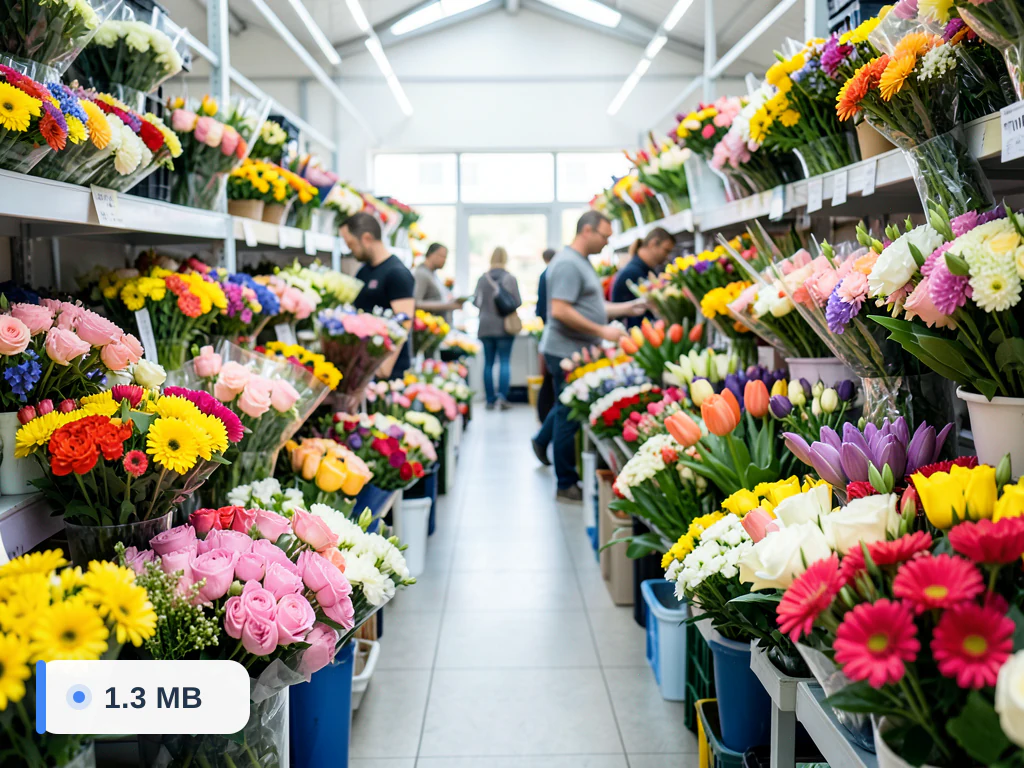
Compress Image to 100KB
Target loaded automatically
Reduce any JPG, PNG or WebP photo to 100KB online for free. The compressor automatically searches for the highest quality that gets closest to 100 kilobytes, so your image stays as sharp as possible for the 100KB upload limit. Files are processed on secure servers and auto-deleted afterwards.
- Forms and portals capped at 100KB
- Email or message attachments near a 100KB limit
- Smaller web images with a measured size result
Drop an image — set your target KB and get a smaller file that still looks sharp
How to reduce a photo to 100 KB
Upload the photo on this page: the target is already 100 KB and the output is JPG. The compressor tries quality levels and keeps the highest one that fits; if a very large photo still does not fit at the lowest quality, it also reduces the width and height in 20% steps. The result screen shows the compressed size and how much was saved.
One well-known place this number appears is Facebook's help center, which says a Page cover photo loads fastest as an sRGB JPG of 851 × 315 pixels and less than 100 kilobytes; size the cover to 851 × 315 first, then compress it here. Upload forms for applications and profiles may also cap images at 100 KB.
The tool counts 1 KB as 1,024 bytes, so the result can be as large as 102,400 bytes. If a form measures 1 KB as 1,000 bytes and turns the file away, enter 97 in Target file size for a file under 100,000 bytes. Before you submit, zoom in on faces and small text; a soft result usually means the photo had more pixels than 100 KB can carry, and making it smaller in pixels first gives a cleaner file.
Before you submit the file
- Read the compressed size on the result screen
- Compare it with how the form counts kilobytes
- Check faces and text at full size
- Keep the original in case the form also asks for exact pixels
Compress image to 100KB online and get a JPG of 100 KB or less
This 100KB image compressor turns a photo or picture into a JPG of about 100 KB or less, which is how you reduce image size to 100 KB for a form, an email or a profile upload. A 100 KB file is a little under a tenth of a megabyte, so ten of them fit within 1 MB. Upload a JPG, PNG, WebP or HEIC file, run it once, and the result screen lists the size you started with next to the size you got.
Make a JPG of 100 KB or less from any format
Because this page saves a JPG, one run also converts. A PNG screenshot, a WebP picture saved from a website or an iPhone HEIC photo comes out as a 100 KB JPG, or smaller. JPEG cannot be see-through, so transparent areas turn white. The picture keeps its proportions, and its width changes only when quality alone cannot reach 100 KB.
- Upload the file from your device; PNG, WebP and HEIC work as well as JPG.
- Leave Target file size (KB) at 100 and Output Format on JPEG.
- Select See result and read the size shown beside the original.
- Download the file, or choose Edit again if it is still above your limit.
What a 100 KB photo size means and how to keep it sharp
A 100 KB photo size is a weight, not a width and height; what 100 KB can hold depends on how much detail the picture has. To compress photo to 100KB with fewer blocks around its edges, set a smaller pixel width first, somewhere around 800 to 1,200 pixels across, and 100 KB holds the picture at far higher quality. A full-size camera photo only fits by dropping its quality very low. Then run the compressor from that smaller file.
Reduce a photo to 100 KB for email and uploads
Think of 100 KB as a budget you spend on pixels. A photo near 1,000 pixels wide, viewed on a screen or sent in an email, looks fine at that weight, while a poster-size print does not. Pick the size by where the picture will be seen: a profile slot or an attachment needs far less than a print does. Then compress once, from the original, and reuse that file for every upload with the same limit.
Check a 100 KB result before you submit it
To keep an image under 100KB, read the size on the result screen rather than trusting the number you typed. Then open the JPG at full size rather than as a thumbnail, and look at faces, hair edges and any small print. To judge what the compression changed, lay the original and the result side by side and slide between them. A soft face or smeared text means the picture has more pixels than 100 KB can carry, so cut the width and run it again.
When 100 KB is the wrong size
A form that gives a tighter limit is better served by the 50 KB target, and a form with room to spare keeps more detail at 200 KB. Use the number the form states and nothing larger, since a bigger file is the one that gets refused.
Before you upload the 100 KB file
- Compare the size on the result screen with the limit on the form, not with the number you typed in the target field.
- Check the width and height in your file manager if the form also names pixels.
- Confirm the form accepts the JPG type, because this page saves JPEG unless you change Output Format.
- Compress image to 100 KB from the original file, because a copy that was already compressed has less detail to give.
- Keep the original file in case a stricter size turns up.
Set up for Compress Image to 100KB
Prepared settings
- Starting point
- One JPG, PNG, WebP, or GIF image
- Upload is the only required setup step; the page opens with the target already active.
- Prepared target
- 100KB file-size goal
- The compressor searches for the highest usable quality that gets closest to the 100KB goal.
- Output setup
- JPEG selected for size efficiency
- The quality slider is locked while the target is active (clear the target to use it), and another supported output format can still be chosen before processing.
- Review rule
- Confirm the result is at or below 100KB
- The preview shows quality only; check the size on the result screen, and the dimensions, before using the file in a strict upload form.
Best-fit uses
- Forms and portals capped at 100KB
- Email or message attachments near a 100KB limit
- Smaller web images with a measured size result
Frequently asked questions
- How do I compress an image to 100KB?
- Upload your photo and the tool works toward 100KB by lowering quality just enough to fit. The quality slider is locked while a target is set (clear the target to use it), and the size appears on the result screen, so check that it is under 100KB.
- Will compressing to 100KB reduce quality?
- We keep the highest quality that still fits 100KB. For typical photos 100KB keeps good detail; very large originals may soften slightly, which is expected at this size.
- What formats can I compress to 100KB?
- JPG, PNG, WebP and GIF inputs are supported. JPEG output usually reaches 100KB with the best quality-to-size balance.
- Is the 100KB compressor free and private?
- Yes. It is free to use, and uploads are processed on secure servers and auto-deleted after processing.
- Is 100 KB the same as 0.1 MB?
- Almost. A megabyte is 1,024 KB here, so 100 KB is about 0.098 MB, and ten files of that size fit in 1 MB with a little room to spare. If a limit is written in MB, convert it to KB first, then type that number into Target file size (KB).
- How do I get an iPhone photo to 100 KB?
- Upload the HEIC photo as it is, keep the target at 100 and select See result. The page saves a JPG, so the file also works on sites that do not open HEIC. A phone photo is large, so for a sharper result cut its width first and compress that smaller copy.
- What if the form needs a photo between 50 KB and 100 KB?
- Enter 100 as the target and check the result screen against 50. A large photo is squeezed close to 100 KB. A small or plain picture can finish below 50 KB, because quality stops rising at a ceiling, and then you need a larger original or more pixels.
- Does compressing to 100 KB change the width and height?
- Only when quality alone cannot reach the target. The compressor lowers quality first, then narrows the picture by 20% at a time, keeping its proportions. A moderate photo usually keeps its pixel size. A very large one may be narrowed, so check the dimensions if the form names them.
- Can I compress several photos to 100 KB at once?
- Yes, with Premium batch mode. Add the photos, keep the target at 100, and every file is compressed to that number and returned in one ZIP. Each photo is compressed on its own, so the sizes differ a little from file to file.
- What does a JPG 100 KB limit mean?
- It means the file must weigh 100 KB or less and be saved as a JPG or JPEG. A 100KB JPG is a limit on file weight, not on pixels. Upload your picture here with the target at 100 and Output Format on JPEG, and the downloaded file is a JPG whose size you can read on the result screen.
- How do I compress a JPG to 100KB?
- Upload the JPG and keep the target at 100. A JPG slightly above the limit needs only a small quality drop. A multi-megabyte one is cut much more and may be narrowed in 20% steps, so look at faces and text afterward. Start from the original rather than from a copy that was already compressed.
- How do I get a photo under 100 KB for a strict limit?
- Keep the target at 100 and read the size on the result screen. This page counts 1 KB as 1,024 bytes, so 100 KB allows up to 102,400 bytes. If a site counts 1,000 bytes per KB and refuses the file, enter 97 and run it again.
- Is a 100 KB image sharp enough for a profile picture?
- Often, at the size profile pictures are shown. A photo around 800 to 1,200 pixels across holds up well at 100 KB, and many profile slots display it much smaller. Crop to the face first, then check the eyes and hair edges at full size before you upload.
- Will the compressed file keep my file name?
- The saved file is named Pixoate_compressed_ followed by your original name, with .jpg at the end, so holiday.png is saved as Pixoate_compressed_holiday.jpg. Your original file is not changed. Rename the saved copy if a form wants a different name.
What you can do with Image Compressor
Review the main capabilities before you begin.
- Compress JPG, PNG and WebP toward a target KB size
- Aim for a target like 20KB, 50KB or 100KB
- Compare the quality before you download
- Meet upload limits for forms and portals
- Speed up your website with lighter images
- Bulk-compress many photos at once
Settings reference
5 settings
Available controls for Image Compressor.
Mode
- Single image / BatchPresets
- Switches between compressing one photo with a live preview and queueing many images to compress with the same settings and download together as a ZIP; batch mode is a Premium feature.Options: Single imageBatch
Quality
- Target file size (KB)Number input
- Optional size budget in kilobytes (minimum 1, e.g. 100) that, when set, adjusts quality automatically — reducing dimensions if needed — to fit the budget and disables the quality slider.
- QualitySliderRange: 10–100% · Default: 30%
- Controls how strongly the image is compressed — drag toward 10% for a smaller file or toward 100% for better quality — and is ignored while a target file size is active.
- Quick PresetsPresets
- One-tap starting points that jump the quality slider to a named level, from High Compression at 30% to High Quality at 90%, so you can pick by name and fine-tune afterwards.Options: High Compression (30%)Medium (50%)Balanced (70%)High Quality (90%)
Format
- Output FormatDropdown
- Chooses the saved file type — JPEG suits photos, WebP gives the smallest files, PNG keeps transparency, GIF keeps animation — defaulting to JPEG, or GIF when a GIF is uploaded.Options: JPEG (Best for photos)WebP (Smallest size)PNG (Transparency support)GIF (Animation support)
Compress to a specific size
Related tools for Compress Image to 100KB
Tools for common next steps after Compress Image to 100KB.
Photo Editing & Utilities
Resize Image
Resize an image to exact dimensions or by percentage. Preview and download the result.
Try it now
Photo Editing & Utilities
Crop Image
Drag to crop an image. Choose a preset ratio or enter exact dimensions.
Try it now
Image Conversion
Image Format Converter
Convert between supported PNG, JPG, WebP, AVIF and GIF formats, then review and download the result.
Try it nowHow Image Compressor helps you get it done
Real problems it solves every day — for businesses, creators, and everyday tasks. Find the use case that fits you and start.
WordPress & Website Speed Optimization
Reduce image file sizes from MB to KB for faster WordPress sites, better Google rankings, and improved Core Web Vitals scores
Email Attachments & WhatsApp Sharing
Compress photos under email limits (25MB), reduce WhatsApp file sizes, and share images quickly without quality loss
Social Media Uploads
Optimize images for social media platforms with size restrictions and faster uploads for better engagement for businesses. Useful for Instagram, Facebook, LinkedIn, Twitter, and YouTube content. Supports all major formats for consistent quality across platforms.
E-commerce Optimization
Cut the product images that are making your store slow, without the shots looking degraded
Storage Management
Reduce image file sizes to save storage space on devices and cloud storage for businesses.. Supports JPG, PNG, WEBP, GIF, SVG formats for comprehensive storage optimization.
Mobile Performance
Compress images for mobile websites and apps to improve loading times and user experience for businesses. Reduces data usage for mobile visitors while maintaining visual quality.
Content Marketing
Optimize images for blogs, articles, and content marketing platforms to improve page load times and reader experience for businesses. Supports SEO efforts with faster loading content that ranks higher in search results and keeps readers engaged longer.
Digital Advertising
Compress images for digital advertising campaigns to meet platform requirements and reduce costs for businesses. Useful for Google Ads, Facebook Ads, and other paid marketing channels. Maintains visual impact while staying within file size limits for better ad performance.
WhatsApp & Telegram File Sharing
Reduce photo file sizes to share quickly on WhatsApp, Telegram, and messaging apps without hitting file size limits
PDF & Document Creation
Compress images before adding to PDFs, PowerPoint presentations, and Word documents to reduce overall file size
Aim for KB Limits on Govt & Exam Portals
Type the size a government form, university admission, or exam portal demands, like 'photo under 50KB', into Target file size and let the server fit toward it, then check the size on the result screen, instead of guessing quality percentages until an upload finally goes through.
Batch-Ready MLS & Listing Photo Packs
Queue a whole property shoot in Batch mode, compress every photo with one shared quality setting, and download a single ZIP sized to fit MLS or listing-site upload caps without touching each image individually.
Resume & Job-Application Photo Sizing
Compress a professional headshot toward the KB limit a job portal or LinkedIn upload allows using Target file size, keeping the photo sharp, then check the size on the result screen before you upload.
Course & LMS Assignment Upload Limits
When a school's learning-management system caps file uploads, enter that limit into Target file size so scanned homework or diagram photos compress to fit on the first try instead of bouncing back as 'file too large'.
Batch-Optimize a Website's Entire Image Library for Core Web Vitals
Queue every image from a blog or product catalog in Batch mode, apply one shared quality setting or format, and download a single ZIP of web-ready files — a fast way to cut page weight and improve LCP scores across an entire site instead of compressing images one by one.
Guides for this tool
- How to Reduce Shopify Image File Sizes While Keeping Product Details ClearReduce Shopify image file sizes with Pixoate while checking labels, texture and edges. Compare resizing, compression and suitable export formats.
- Your Product Page Is Making Customers Wait: When Beautiful Images Become Heavy FilesHeavy product images can make a page slower to load. Explore Pixoate resizing and compression while preserving the details customers need to inspect.
Use this tool in a photo workflow
- Resize Shopify Product Images Without Stretching
- Resize Etsy Listing Photos Without Cutting Off the Product
- Prepare Property Photos for UK Estate Agent Listings
- Resize Photos for realestate.com.au Listings
- Convert iPhone HEIC Photos to JPG on Windows
- Resize Photos for Google Business Profile
- Prepare Rental Inspection Photos for an Australian Agency
- Prepare Property Photos for Trade Me Property
Watch each transformation land
Every photo crosses the slash untouched and comes out the other side finished.























