

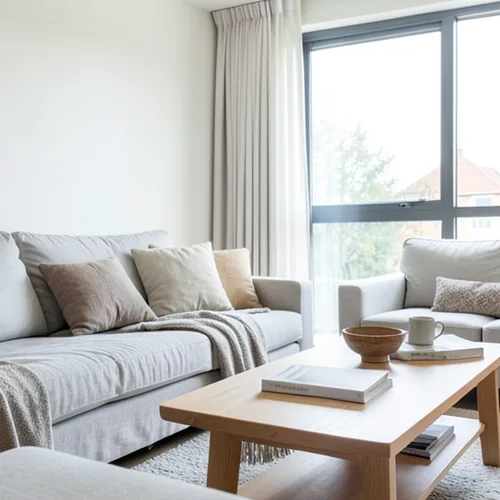
The same source image before and after applying Paper Depth Diorama.
Paper Depth Diorama applied to the same source image
Original source image before Paper Depth Diorama

Paper Depth Diorama Photo Filter Online

Style the frame as up to seven source-aligned paper layers without duplicating people or objects. Control the strength, compare the result, and download a finished image from your browser.

Upload a photo for the Paper Depth Diorama effect

What you can do with the Paper Depth Diorama effect

Review the available effect capabilities before you begin.

  • Apply the Paper Depth Diorama effect to any photo
  • Fine-tune the effect strength to taste
  • Preview your photo live as you edit
  • Download your edited photo in high quality
  • Apply Paper Depth Diorama to many photos at once

How it works

Paper Depth Diorama estimates relative distance, smooths the depth field, removes small label islands, and divides the prepared fixed frame into up to seven broad paper layers. A semantic mask keeps one reliably detected main person, pet, product, or object on one coherent sheet instead of slicing it at noisy depth thresholds. Each nearer sheet receives a narrow warm cut highlight and casts a soft lower-right shadow only onto a farther receiving sheet; zero-padded offsets cannot wrap a false shadow across the frame. Source luminance is simplified into a warm paper palette, and intensity changes the real palette, shadow offset, blur, opacity, and cut highlight. At its working size, the renderer never moves, copies, spatially resamples, inpaints, or generatively rebuilds source content: every RGB treatment stays at its original coordinate, framing remains fixed, and working-frame alpha stays byte-exact in the lossless PNG. Larger uploads can be proportionally resized before this step: the standard free limit is 800 pixels on the long side, and the depth service defaults to a 2048-pixel long side for remaining larger inputs. If one reliable main subject cannot be isolated, the effect stops safely instead of guessing.

Processing

Paper Depth Diorama uses an AI action. Any separate allowance is shown before this effect starts processing.

Best for

simple portraits, pets, products, greeting cards, story illustration, interiors, landscapes with clear foreground-to-background separation, and craft-styled prints.

Less suited to: group shots, overlapping or equally prominent subjects, glass, mirrors, reflections, smoke, fine hair or foliage, flat scenes, and cluttered compositions where relative depth or the main subject boundary is ambiguous.

Ways to use Paper Depth Diorama

    Paper Depth Diorama questions

    What is a paper diorama?
    A real shadow box uses separate paper cutouts at different depths. This effect creates a source-aligned illustration of that look: up to seven model-estimated relative-depth sheets, warm paper color, nearer-side cut highlights, and soft shadows on the farther receiving layers. It does not claim measured depth or physically rebuild a 3D scene.
    Can it duplicate or reshape my subject?
    No. Within the prepared working frame, no source pixel is moved or copied to another coordinate. One reliably detected main subject is assigned to one coherent paper layer, so its face, arms, body, or object silhouette cannot be fragmented into shifted copies. The color is deliberately restyled, and uncertain segmentation is refused safely.

    More Depth & Dimension effects

    Smart Refocus

    Depth & DimensionAdvanced AI

    Keep one automatically detected main subject sharp with clean depth-aware background blur

    Click to visit

    Tilt-Shift Diorama

    Depth & DimensionAdvanced AI

    Turn elevated streets and landscapes into miniature scenes with a clean depth-assisted focus band

    Click to visit

    Wigglegram 3D

    Depth & DimensionAdvanced AI

    Create a clean eight-frame depth loop with visibility-resolved parallax motion

    Click to visit

    Depth Anaglyph 3D

    Depth & DimensionAdvanced AI

    Create a comfort-capped red-cyan 3D view with depth-scaled bilinear reprojection

    Click to visit

    Crystal Refraction

    Depth & DimensionAdvanced AI

    Refract only the model-cleared background through bounded crystal facets while keeping the detected subject fixed

    Click to visit

    Parallax Cutout Poster

    Depth & DimensionAdvanced AI

    Build five broad source-aligned paper planes without duplicating people or objects

    Click to visit

    Topographic Depth Lines

    Depth & DimensionAdvanced AI

    Trace 18 clean source-aligned depth bands without moving people or objects

    Click to visit

    Atmospheric Depth Fog

    Depth & DimensionAdvanced AI

    Add source-aligned linear-light haze from model-estimated relative depth

    Click to visit

    Near–Far Split Tone

    Depth & DimensionAdvanced AI

    Apply source-aligned cool-far and warm-near color grading from model-estimated depth

    Click to visit

    Lensball World

    Depth & Dimension

    Compress and invert the scene inside one bounded glass sphere while keeping every outside pixel fixed

    Click to visit

    Lenticular Depth Print

    Depth & DimensionAdvanced AI

    Interlace depth-shifted strips only across model-cleared background while keeping the detected subject fixed

    Click to visit

    See the featured effects in motion

    The strongest effect picks lead this belt before the rest of the catalog.




























