

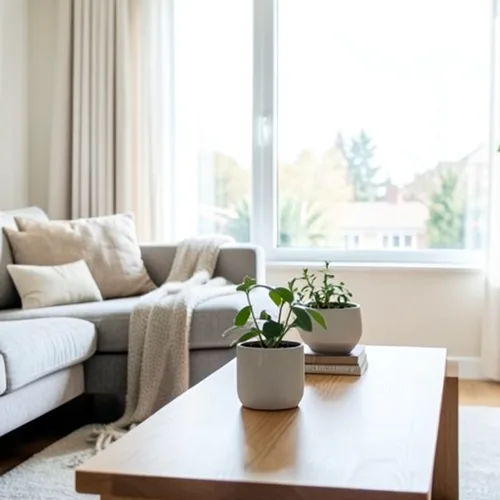
The same source image before and after applying Wigglegram 3D.
Wigglegram 3D applied to the same source image
Original source image before Wigglegram 3D

Wigglegram 3D Photo Filter Online

Create a clean eight-frame depth loop with visibility-resolved parallax motion. Control the strength, compare the result, and download a finished image from your browser.

Upload a photo for the Wigglegram 3D effect

What you can do with the Wigglegram 3D effect

Review the available effect capabilities before you begin.

  • Apply the Wigglegram 3D effect to any photo
  • Fine-tune the effect strength to taste
  • Preview your photo live as you edit
  • Download your edited photo in high quality
  • Apply Wigglegram 3D to many photos at once

How it works

Wigglegram 3D estimates relative depth and anchors a stable plane in the centre of the composition. Eight sinusoidally spaced views move nearer and farther surfaces horizontally by different amounts; intensity changes that actual travel instead of crossfading an unmoved duplicate over every frame. Each view uses a depth z-buffer so nearer surfaces win overlaps, depth-matched bilinear sampling for clean edges, and farther-side background continuation for the narrow gaps revealed beside foreground objects. Full-strength travel is capped at 2% of image width and fades to zero at the side borders. The unchanged centre view appears twice for a seamless loop, while pixel content and transparency move together in a lossless animated WebP. Very large inputs are proportionally capped to 1.75 megapixels so all eight lossless frames stay within the download transport limit.

Processing

Wigglegram 3D uses an AI action. Any separate allowance is shown before this effect starts processing.

Best for

centred portraits, pets, products, still lifes, interiors, architecture, and scenes with clear foreground, middle-distance, and background separation.

Less suited to: flat scenes, off-centre subjects, very fine hair or foliage, transparent or reflective objects, moving source photos, and large viewpoint changes that would require surfaces hidden in the original photograph.

Ways to use Wigglegram 3D

    Wigglegram 3D questions

    What is a wigglegram?
    A stereo image shown as a rapid alternation between two or more viewpoints instead of through glasses. The motion itself conveys depth, which is why it works on any screen without special equipment.
    What makes a good wigglegram?
    Place the main subject near the centre and include recognisable detail both in front of and behind it. The central depth stays most stable while other layers move relative to it. One photo cannot reveal surfaces hidden from the camera, so the renderer limits motion and continues only the farther visible background across narrow gaps; complex hair, glass, reflections, and wide separations can still reveal imperfect edges. Lower the intensity when that happens.

    More Depth & Dimension effects

    Smart Refocus

    Depth & DimensionAdvanced AI

    Keep one automatically detected main subject sharp with clean depth-aware background blur

    Click to visit

    Tilt-Shift Diorama

    Depth & DimensionAdvanced AI

    Turn elevated streets and landscapes into miniature scenes with a clean depth-assisted focus band

    Click to visit

    Depth Anaglyph 3D

    Depth & DimensionAdvanced AI

    Create a comfort-capped red-cyan 3D view with depth-scaled bilinear reprojection

    Click to visit

    Crystal Refraction

    Depth & DimensionAdvanced AI

    Refract only the model-cleared background through bounded crystal facets while keeping the detected subject fixed

    Click to visit

    Parallax Cutout Poster

    Depth & DimensionAdvanced AI

    Build five broad source-aligned paper planes without duplicating people or objects

    Click to visit

    Topographic Depth Lines

    Depth & DimensionAdvanced AI

    Trace 18 clean source-aligned depth bands without moving people or objects

    Click to visit

    Paper Depth Diorama

    Depth & DimensionAdvanced AI

    Style the frame as up to seven source-aligned paper layers without duplicating people or objects

    Click to visit

    Atmospheric Depth Fog

    Depth & DimensionAdvanced AI

    Add source-aligned linear-light haze from model-estimated relative depth

    Click to visit

    Near–Far Split Tone

    Depth & DimensionAdvanced AI

    Apply source-aligned cool-far and warm-near color grading from model-estimated depth

    Click to visit

    Lensball World

    Depth & Dimension

    Compress and invert the scene inside one bounded glass sphere while keeping every outside pixel fixed

    Click to visit

    Lenticular Depth Print

    Depth & DimensionAdvanced AI

    Interlace depth-shifted strips only across model-cleared background while keeping the detected subject fixed

    Click to visit

    See the featured effects in motion

    The strongest effect picks lead this belt before the rest of the catalog.






























