


Roof Visualizer
Generative output can vary; review the full result before publishing
A roof is bought once in a generation, from a sample the size of a postcard, for a surface that covers much of what anyone sees from the street. Upload a photo of the house and see the color and material across the actual roof, so the choice is judged against the real siding, trim and light.
- Prepared Roof Visualizer direction
- Editable prompt
- Full-result review required
Choose a source image for Roof Visualizer
JPG, PNG, WebP, HEIC, and other supported formats. Free up to 20 MB; Premium and higher up to 50 MB for this tool.
Keeping vents, valleys and chimneys honest in a new roof color
A roof is not one surface. Dormers, valleys, skylights, plumbing vents, chimney flashing, gutters and solar panels all interrupt it, and each is a place where a generated roof can quietly smooth over something that has to stay. Before you show anyone a result, count the vents and skylights against the original photo and look at the chimney where it meets the shingles.
To change the roof without the AI touching the siding, choose Refine area manually and paint the visible roof planes, leaving the gutters and fascia unpainted if they are staying. Then describe the material and color plainly: 'architectural asphalt shingle in weathered wood blend' or 'standing seam metal in dark bronze'. A roof is the hardest element to change later, so it is worth testing a light and a dark option before the trim color is settled.
Sky matters in roof photos: a white, blown-out sky makes a light roof edge vanish, while a heavy gray one makes everything look darker. Shoot under even cloud with blue still visible if you can. When the siding is being replaced too, test it on the same elevation; if only the walls get new paint, try body and trim colors under the new roof.
Roof visualizer: try shingle, tile or metal roof colors on your own house
This roof visualizer changes the roof in a photo of your own house, so you can compare shingle, tile or metal and see a color against your actual siding, trim and gutters. Upload a street-side photo, describe the roof, and check the result against the original. It shows how a roof will look. It does not measure pitch or area, assess the structure under it or price the job.
Capture every roof plane you want to change
A roof is judged by the planes you can see, so frame the ones that matter: the main slope, the garage roof, a porch roof, a dormer. Stand across the street with the sun behind you, keep the camera level and include the gutter line and the chimney, because those edges tell the AI where the roof stops. Trees that overhang the roof may be drawn over it in the result, so choose an angle that shows as much clear surface as the site allows.
Write the roof as material, color and profile
Material comes first because it sets the profile. Say architectural asphalt shingle, standing seam metal or flat concrete tile, and then the color in plain words, such as weathered charcoal or terracotta orange. Give one roof per run. For a two-color comparison, run charcoal and brown in separate passes from the same upload, so the siding and the sky do not differ between them.
Check the roof against the gutters, fascia and chimney
A roof color only works with what touches it. Look at the gutters and fascia in the result: a dark roof with white gutters reads very differently from the same roof with dark ones. If the walls start to change as well, select Refine area manually and paint only the roof planes, which keeps everything outside the pink area exactly as photographed. For a chimney, say whether it keeps its own brick or takes the new roof color. Trim and wall colors have a page of their own in the exterior paint visualizer.
Run every elevation of the house in one go
Batch images, a Premium option, applies one instruction to every photo you add and returns the results together, which suits front, side and rear photographs of the same house with one roof decision. Refine area manually belongs to single-image runs, so use the batch for the comparison across elevations and a single image for a close look at one slope. Pair the chosen roof with a wall color on the siding page.
Zoom in on these before you decide
- Ridge lines, valleys and the number of dormers match your original photo.
- Gutters, fascia and the chimney carry the colors you described.
- Walls, sky and neighboring roofs are unchanged.
- Overhanging branches did not leave patches of the old roof color behind.
Set up for Roof Visualizer
Prepared settings
- Starting point
- Upload one source image
- The page opens on the correct edit workflow; upload is the only required setup step.
- Prepared workflow
- Prepared Roof Visualizer workflow
- Roof Visualizer opens with the Roof Visualizer direction preselected, so there is no need to find the operation manually.
- Output shape
- Same as your upload
- The result keeps the shape of the image you upload.
- Review rule
- Review the complete generated result before use
- Generated imagery can vary; the final result stays under the user's approval before download.
Best-fit uses
- Narrowing a shingle color range down to two on the real house
- Checking a roof color against the existing siding and trim
- Showing a metal roof option to an owner who has only seen shingles
Frequently asked questions
- How accurate are the shingle colors?
- Close enough to eliminate the wrong ones, not close enough to order from. Screens, cameras and daylight all shift color, and a blended shingle reads differently at roof distance than in your hand. Shortlist here, then hold the real sample against the house before signing.
- Can it show a metal roof instead of shingles?
- Yes. Standing seam, corrugated and tile profiles all read differently at roof scale, and seeing one on the actual house is usually what settles whether an owner wants it. Panel widths and seam spacing in the result are indicative rather than a setting-out plan.
- Does it estimate the roof area or the number of squares?
- No. It changes how the roof looks and nothing else. Pitch, area, layers to strip, decking condition and ventilation are what the job is priced on, and every one of them needs someone on the roof or a measurement report.
- What photo of the house should I use?
- One taken from the street on the side the roof is most visible from, with the whole roof plane in frame and the sun behind you rather than in the lens. Overcast light is better than bright sun, which blows out the highlights on a light shingle and hides the very difference you are trying to judge.
- Will the roof shape and the number of dormers stay the same?
- They should, because the prepared sentence asks the AI to change material and color on the existing roof planes. Check ridge lines, valleys, dormers and the chimney against your photo anyway, since those are the details most likely to move. If something shifts, paint only the roof with Refine area manually and run it again.
- Can I preview solar panels on the roof?
- You can describe panels and see whether the idea suits the roof, for instance a dark array on the sunniest slope. The number of panels, their layout and the sun exposure shown are illustrative only. An installer designs the real array from measurements and shading, so use the picture for the look and not the layout.
- Does moss, staining or a patchy old roof confuse the result?
- An uneven roof gives the AI a less consistent surface to replace, so patches of old and new color can survive in the picture. Run it again with an instruction to replace the whole roof evenly, or paint the roof planes with Refine area manually. Zoom in on the ridge and the edges, where leftovers show up first.
- Can I show a different color for the garage roof or porch roof?
- Yes. Treat each plane as its own line in the instruction, such as main roof in charcoal shingles and porch roof in dark bronze metal. Mixed materials are where small errors appear, so look at the point where the two roofs meet and at the flashing line above the porch.
- Can I get the roof picture at full size for a roofer?
- Without a paid plan the result downloads at web size, enough to judge color on a screen. Premium, or a credit for that run, returns the full-size file, which is better when a roofer wants to print the picture or zoom in on the ridge. The Good to know before you download panel lists the size rules.
What you can do with AI Real Estate Photo Editor
Review the main capabilities before you begin.
- Stage complete rooms automatically for disclosed concepts
- Add selected TVs, wall colors, or landscaping precisely
- Remove described cables, bins, signs, and distracting clutter
- Replace skies and create realistic twilight exteriors
- Refine automatic edit areas manually when needed
Settings reference
5 settings
Available controls for AI Real Estate Photo Editor.
Tasks
- Edit typeDropdown
- Choose the edit to perform; prompts, selection tools and output controls follow the selected edit type.Options: Text-based editGenerative fillMagic eraserSky replacementRoom staging
- One-tap presetsPresets
- Pick a ready-made direction with one tap; generation uses the selected preset automatically.Options: Add furnitureAdd TVPaint walls warm whiteTwilight skyReplace skyRemove clutterRefresh landscaping
- Custom instructions (optional)Text input
- Describe the requested change, relevant materials, lighting, perspective, and details that must remain unchanged.
Selection
- Selection brush sizeSliderRange: 4–160px · Default: 32px
- Set the brush width used to mark the exact add, fill, or replacement area required before generation.
Output
- Ask AI to preserve subject identity and product detailsOn / Off
- Adds an explicit instruction to retain the main subject, shape, branding, labels, and readable text unless the request changes them.
Related tools for Roof Visualizer
Tools for common next steps after Roof Visualizer.

Virtual Staging & Property
Virtual Staging AI
Virtually stage empty rooms with AI furniture for real-estate listings. Create living room, bedroom, office, dining, and luxury concepts.
Try it now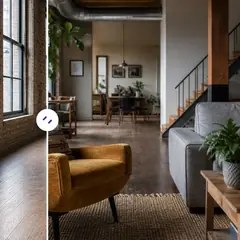
Virtual Staging & Property
AI Room Staging
Stage empty or dated rooms with AI furniture and décor. Create living rooms, bedrooms, offices, dining rooms, and interior style concepts.
Try it now
Photo Enhancement
AI Photo Enhancer
Adjust noise, sharpness, color and scale in one enhancement workflow, then compare the result with the original.
Try it nowGuides for this tool
- How to Prepare Real Estate Listing Photos in Bulk for an AgencyOrganize bulk real estate photo editing with Pixoate. Keep properties, room sequences and concept images clear across an agency's listing workflow.
- How to Remove Temporary Clutter from Real Estate Photos with AIRemove temporary clutter from real estate photos with Pixoate. Review cables and stray objects while preserving the property's actual condition.
Watch each transformation land
Every photo crosses the slash untouched and comes out the other side finished.























