Real Estate Listing Photos: A Guide to Staging, Costs, Portals and Honest Edits
Everything about listing photos in one place: virtual staging, staging costs in three countries, portal-specific guides and the rules for honest edits.
Written by the Pixoate team. We check how each tool behaves before we describe it, and we date any prices or portal rules we quote.
Most buyers meet a home through its photos long before they meet the agent. That is why a listing can fail on presentation alone: dark rooms, a tilted camera, an empty space nobody can picture living in. It is also why small, honest improvements to the photos often matter more than the next round of price discussion.
This page collects our guides on listing photos in one place. They cover how to prepare and shoot a property, how virtual staging compares with the traditional kind, what staging costs in the USA, the UK and Australia, how to present a listing on the major portals, and where an edit stops being presentation and becomes misrepresentation.
Start with the basics of a good listing gallery
If you are new to listing photography, begin here.
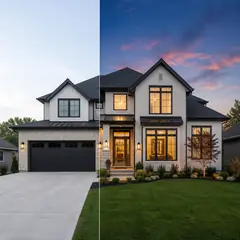
- How to make property listing photos look professional walks through preparation, shooting habits, the order buyers expect and the edits worth making.
- 10 real estate photography mistakes that turn buyers away is a checklist of the problems that make a gallery look careless, with a fix for each.
- The real estate photo editor is the tool behind most of these edits, from brightening a dark room to previewing a new look on your own photo.
Empty rooms and staging
Empty rooms photograph poorly because viewers cannot judge scale or imagine daily life in them. Two guides cover the choice between furnishing a room for real and furnishing it digitally.
- How to sell an empty house without buying furniture explains how to present a vacant home, including how to disclose the staging.
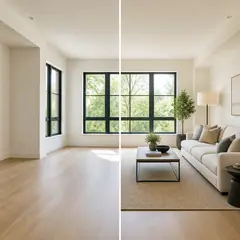
- Virtual staging vs traditional home staging compares cost, time, flexibility and what each approach cannot do.
If you are curious about the tool itself, Virtual Staging AI places furniture on your own photo of an empty room.
What staging costs where you live
Prices vary by country, city and property size, and the figures we quote are dated and sourced. Check the guide for your market.
- How much does home staging cost in the USA uses published survey data from the National Association of Realtors alongside what stagers quote.
- How much does home staging cost in the UK draws on stagers' published pricing and explains how hire terms work.
- How much does property styling cost in Australia covers styling hire, the usual terms and the difference between full and partial styling.
Presenting a listing on a specific portal
Each portal has its own habits, formats and rules. These guides cover the three largest English-language markets.
- Make your Zillow listing stand out for the US.
- Make your Rightmove listing stand out for the UK.
- Make your realestate.com.au listing stand out for Australia, including its published rules on AI-edited images.
For short-let hosts, how to make Airbnb listing photos stand out covers a different audience, who book on trust and first impressions.
If you want to offer staging as a service
How to start a virtual staging service for real estate agents is written for photographers, assistants and small agencies who want to add digital staging to what they already offer, including pricing, disclosure and quality control.
The honesty rule that applies everywhere
One principle runs through every guide above: a photo may show the property at its best, but it must not show something that is not there. Brightening a room, straightening a wall and removing a bin are presentation. Hiding damage, changing a view or adding fittings that are not included in the sale are misrepresentation.
For anything digitally staged or sky-replaced, say so plainly on the listing and keep the unedited originals. Portals and regulators have their own rules, and they change, so check the current wording from the portal or your regulator before you publish. We say in each guide what we could and could not confirm from official sources.
A sensible order of work for one listing
- Prepare and photograph the property in good light.
- Fix light, tilt and temporary clutter with careful edits.
- Decide whether empty rooms need staging, and compare the cost of each route.
- Label any staged or sky-replaced images and keep the originals.
- Read the portal guide for your market before you upload.
Frequently asked questions
Is virtual staging allowed on property portals?
Rules differ by portal and country, and they change. Some require clear disclosure of digitally altered images. Check the current terms of the portal you use and tell buyers plainly when a room is staged.
Is virtual staging cheaper than traditional staging?
Usually, because there is no furniture hire, delivery or removal, but the right choice depends on the property and the buyer. The comparison guide sets out the trade-offs.
Can I edit listing photos myself?
Yes, for light, tilt and temporary clutter. Do not remove permanent features or defects, and keep your originals.
Where should I begin?
If you have photos already, start with the professional listing photos guide. If the house is empty, start with the empty house guide.
When you are ready to try the edits on a real room, open the real estate photo editor with your own listing photo and compare the result with the original before you publish anything.