

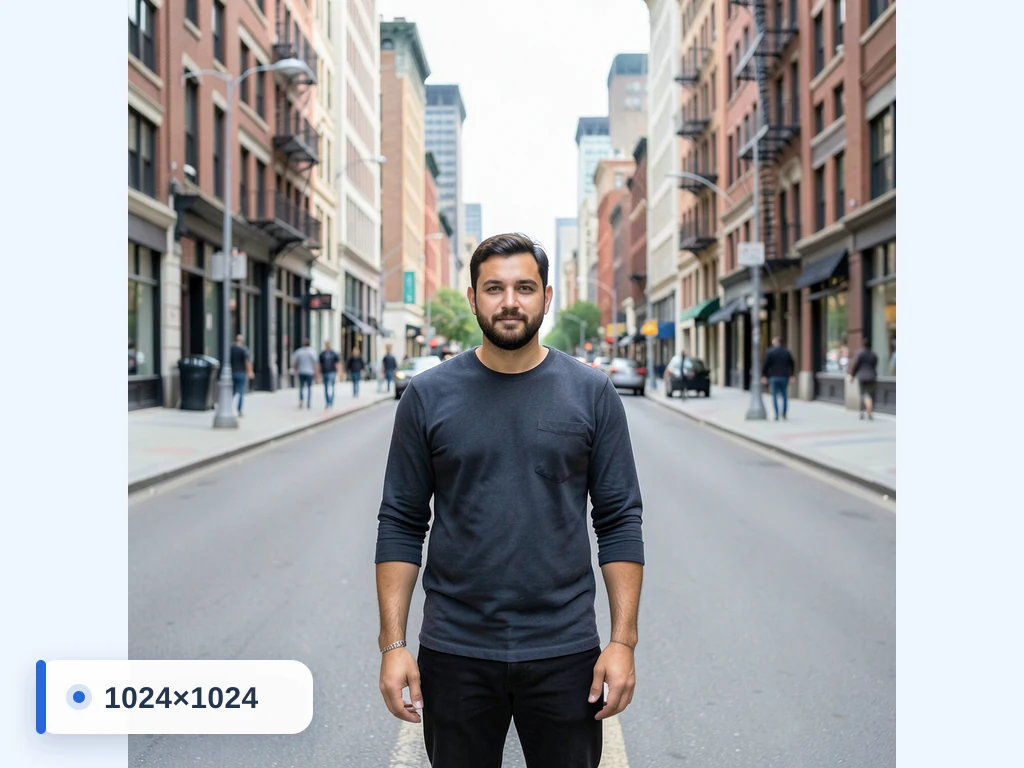
Resize Image to 1080×1080 px
Dimensions loaded automatically
Resize any image to exactly 1080×1080 pixels online — ideal for Instagram square posts. Upload a JPG, PNG or WebP and the tool is pre-set to 1080×1080; keep the aspect ratio or fill the frame with a blurred background. Free, fast and processed securely.
- Exact 1080 × 1080 px upload requirements
- Social, listing, thumbnail, or presentation canvases
- Consistent image dimensions without silent stretching
Drop an image — set exact dimensions and download the resized file
Making a 1080 × 1080 square for Instagram and other square feeds
1080 × 1080 pixels is a 1:1 square. Instagram's help center says photos are shared at up to 1,080 pixels wide, and that a photo between 320 and 1,080 pixels wide keeps its resolution when its aspect ratio sits between 1.91:1 and 3:4. A 1080-pixel square meets both conditions, so Instagram keeps its resolution. Square product grids and profile-style images that ask for equal sides use the same shape.
Few camera photos are square. Many phones save 4:3 or 3:4 pictures, so with Maintain aspect ratio switched on, the whole picture fits inside the square and the two empty strips are filled with a blurred copy of the photo by default. The Background tab swaps that for a solid color, a gradient, a design or another photo. Switching the lock off squeezes the picture into the square, which makes faces look wider or narrower than they are. To fill the frame edge to edge, crop a 1:1 section first, or press Extend background with AI to continue the scene into the empty strips.
After resizing, look at the borders: a square leaves little margin, and anything placed right at the edge feels cramped in a feed. The page saves a JPG. For Instagram's taller 4:5 portrait posts and other shapes, switch to the Instagram size presets.
Resize image to 1080x1080 and turn a normal photo into a square
Use this 1080 x 1080 image converter to turn a photo of any shape into a square canvas of 1080 by 1080 pixels. Most cameras do not shoot square, so the question is what fills the space your photo leaves behind or which part of it to cut away. The size is already set when you upload; choose the fill or the crop, run it once, and download the square.
Convert a normal photo to 1080 x 1080 step by step
Upload the picture and the Size tab already shows Width (px) 1080 and Height (px) 1080. With Maintain aspect ratio ticked, the whole photo is kept and fitted inside the square, and the empty strips are filled with a blurred copy of the picture. That is the safe default for a photo you do not want cut.
- Upload the photo; the Size tab shows 1080 for both width and height.
- Leave Maintain aspect ratio ticked to keep the whole photo.
- Open the Background tab to keep Blur or choose a solid Color.
- Select See result and download the square file.
How much of the 1080 x 1080 square your photo fills
The fitted photo touches two opposite sides of the square. A 3:2 camera photo becomes 1080 × 720, leaving 180-pixel strips above and below. A 4:3 photo becomes 1080 × 810 with 135-pixel strips, and a 16:9 frame becomes 1080 × 608 with strips of 236 pixels. An upright 4:5 portrait fills 864 × 1080 and leaves 108 pixels on each side.
Thin strips read as a soft frame. A wide panorama of 3:1 becomes 1080 × 360 and leaves strips of 360 pixels, so the picture takes only a third of the square, and that is when cutting a 1:1 square from the photo first pays off.
Choose the fill that suits where the square will be used
Blur carries the photo's own colors into the strips and suits a feed. A solid Color gives a clean mat for a product shot or a profile square, and you set it on the Background tab. Both are drawn into the 1080 × 1080 file itself, so the square has no transparent parts, and the padding stays part of the picture wherever you upload it.
Make several matching squares for a grid or carousel
A set of posts looks tidier when every square is the same size. Premium batch mode resizes a whole set to 1080 × 1080 in one run and returns a ZIP, and each photo keeps its own proportions inside the square. To cut one large picture into connected tiles instead, use the grid splitter.
Before you post or upload the square
- Confirm the saved file reads 1080 × 1080 in its properties.
- Check that no face is split by a strip edge; if one is, crop first.
- Keep the original; the square is a different shape and cannot be turned back into the full photo.
Set up for Resize Image to 1080×1080 px
Prepared settings
- Starting point
- One source image at its original dimensions
- Upload a JPG, PNG, or WebP; the exact output canvas is already entered.
- Prepared target
- 1080 × 1080 px
- Width and height are prefilled from this page, so neither number needs to be entered manually.
- Composition
- Aspect lock and background fill remain adjustable
- Keep proportions, crop, or add a fill treatment instead of silently stretching the subject.
- Review rule
- Verify a 1080 × 1080 px download
- Inspect framing and edge treatment in the preview before using the image on its destination.
Best-fit uses
- Exact 1080 × 1080 px upload requirements
- Social, listing, thumbnail, or presentation canvases
- Consistent image dimensions without silent stretching
Frequently asked questions
- How do I resize an image to 1080x1080?
- Upload your image — the resizer is pre-set to 1080×1080px. Keep "maintain aspect ratio" on for an exact 1080x1080 canvas with a background fill, or turn it off to stretch the picture to 1080x1080, then download.
- What is 1080x1080 used for?
- 1080×1080 is commonly used for Instagram square posts.
- Will resizing to 1080x1080 stretch my photo?
- Only if you turn off "maintain aspect ratio". With it on, your subject stays undistorted and the background fills the rest of the 1080x1080 frame.
- Is the 1080x1080 resizer free?
- Yes — resize and download without creating an account. Images are auto-deleted after processing.
- What is the aspect ratio of 1080x1080?
- The ratio is 1:1, an exact square, because the width and height are the same number. A photo that is not 1:1 has to be fitted inside the square with fill around it, cropped to 1:1, or stretched. Fitting keeps the whole picture, cropping removes some of it, and stretching distorts it.
- How do I make a normal photo 1080x1080 without cropping it?
- Keep Maintain aspect ratio ticked. The whole photo is fitted inside the 1080 × 1080 square and the empty strips are filled from the Background tab, with a blurred copy of your photo by default. Choose Color there if you would rather have a plain mat. Nothing is cut away.
- What does 1080px mean for an image?
- It means 1,080 pixels along one side, usually the width. For a square such as 1080 × 1080, the height is the same number. The figure describes pixel dimensions, not file size in KB, so a 1080px image can still be light or heavy depending on its detail and quality.
- Can I save a 1080x1080 picture as PNG or WebP?
- Yes. Open the Output tab and choose PNG or WebP under Output Format; JPEG is the default on this page. Quality is set on the same tab. With Blur or Color as the fill, the padding is drawn into the file, so the square is not transparent.
- How do I resize a batch of photos to 1080x1080?
- Use Premium batch mode: add the photos, keep 1080 × 1080, and run it. Each photo is fitted into the square on its own and the results come back in one ZIP. The same Background choice applies to every photo in the set.
- Is 1080 x 1080 the same as 1080p?
- 1080p means 1080 pixels of height in a widescreen frame, usually 1920 by 1080. A 1080 x 1080 image has the same height but is square, so it is much narrower than a 1080p frame. For the widescreen size, use the 1920x1080 resizer instead.
- How do I convert an image to 1080x1080 when it is smaller than 1080 pixels?
- Upload it and keep Maintain aspect ratio ticked. A picture smaller than 1080 pixels is enlarged to fit the square, which adds pixels but no detail, so it can look soft. For a sharper result, start from a larger original, or enlarge it with the Image Upscaler first.
What you can do with Image Resizer
Review the main capabilities before you begin.
- Resize images to an exact width and height
- Scale photos up or down by percentage
- Fit ready-made social media dimensions
- Create passport and ID photo sizes
- Keep the aspect ratio while resizing
- Add a solid or blurred background to fill space
- Bulk-resize many images into one ZIP
Settings reference
14 settings
Available controls for Image Resizer.
Mode
- Single image / BatchPresets
- Switches between resizing one photo and resizing many at once — Batch applies the same size and output settings to every image and downloads the results together as a ZIP.Options: Single imageBatch
Size
- Width (px)Number inputRange: 1–8192px
- Sets the exact output width in pixels, up to 8192; with the aspect-ratio lock on, the height updates automatically to match.
- Height (px)Number inputRange: 1–8192px
- Sets the exact output height in pixels, up to 8192; with the aspect-ratio lock on, the width updates automatically to match.
- Maintain aspect ratioOn / Off
- Keeps width and height in proportion so the photo is not stretched — edit one dimension and the other adjusts to preserve the original shape. On by default.
- Resize by PercentagePresets
- Scales the image relative to its own size — pick a percentage instead of calculating exact pixels; in Batch mode each image is scaled from its own dimensions.Options: 25%Half (50%)75%Original (100%)2x (200%) Enlarge
- Social Media SizesPresets
- One-click presets that fill in the exact pixel dimensions for Facebook, Instagram, Twitter and YouTube profile pictures, posts, stories and covers.Options: Facebook ProfileFacebook ImageFacebook CoverFacebook Event ImageFacebook Group PhotoInstagram PostInstagram StoryTwitter PostTwitter ProfileTwitter Header CoverYouTube ProfileYouTube Cover
- Passport SizesPresets
- Starting presets for common passport and ID photo dimensions. Use one only when it matches the receiving authority's current size and delivery instructions.Options: 2.5cm x 3.5cm3.5cm x 3.5cm3.5cm x 4.5cm
Background
- Add Background ColorOn / Off
- Pads empty space with a solid color when the target size does not match the photo's proportions, instead of stretching or cropping; choose Color in the Background tab, since only one fill is active at a time.
- Background colorColor picker
- Picks the fill color for the padded area — use the color picker or tap a swatch. Shown while Color is the selected background.
- Blur backgroundOn / Off
- Choose Blur in the Background tab to fill empty space with a softly blurred, zoomed copy of the photo itself so mismatched aspect ratios look natural; it keeps the photo's proportions, and only one fill is active at a time.
- Blur IntensitySliderRange: 5–50 · Default: 20
- Controls how soft the blurred background fill looks, from 5 (light) to 50 (heavy); higher values make the padding more abstract so the subject stands out. Shown while Blur is the selected background.
Output
- QualitySliderRange: 10–100% · Default: 92%
- Sets compression for the resized output — higher keeps more detail with a larger file, lower gives smaller files for faster uploads and sharing.
- Output FormatDropdown
- Chooses the file type of the resized image independently of the source format — JPEG for small photos, PNG for graphics, WebP for modern web use, or GIF.Options: JPEGPNGWebPGIF
AI extension
- Extend background with AIOne-click
- Continue the scene into the selected size with AI while keeping the prepared source photo. Free downloads are web size. Premium or credits unlock full resolution. Supported ratios require maintaining aspect ratio. In Batch, every queued image is extended and delivered at the size and format you chose.
Resize to a popular size
Related tools for Resize Image to 1080×1080 px
Tools for common next steps after Resize Image to 1080×1080 px.
Photo Editing & Utilities
Crop Image
Drag to crop an image. Choose a preset ratio or enter exact dimensions.
Try it now
Photo Editing & Utilities
Compress Image to KB
Compress JPG, PNG or WebP files toward a chosen size such as 20KB, 50KB or 100KB, then review the result.
Try it now
Image Conversion
Image Format Converter
Convert between supported PNG, JPG, WebP, AVIF and GIF formats, then review and download the result.
Try it nowHow Image Resizer helps you get it done
Real problems it solves every day — for businesses, creators, and everyday tasks. Find the use case that fits you and start.
Website Optimization
Resize JPG, PNG, WEBP, GIF, SVG images for optimal website performance and faster loading times.. Supports all major image formats for professional web design and e-commerce platforms.
Email Marketing
Resize images to meet email size limits while maintaining quality for businesses. Useful for marketing campaigns, newsletters, and professional communications. Supports JPG, PNG, WEBP, GIF formats for optimal email delivery and engagement.
Social Media Marketing
Resize images to fit different social media platform requirements for businesses. Optimize content for Instagram, Facebook, LinkedIn, Twitter, and YouTube with precise dimensions. Supports all major formats for professional social media management.
Print Sizing
Resize images to specific dimensions for printing and physical displays for businesses. Useful for marketing materials, brochures, banners, and professional presentations. Maintains quality for high-resolution printing requirements.
Mobile Optimization
Optimize images for mobile devices and apps with appropriate sizing for businesses. Improve mobile user experience, reduce bandwidth usage, and enhance app performance. Supports all major formats for responsive web and mobile app design.
Storage Management
Reduce image file sizes to save storage space on devices and cloud storage for businesses.. Supports JPG, PNG, WEBP, GIF, SVG formats.
Common ID-Photo Size Starting Points
Use the 2.5x3.5cm, 3.5x3.5cm or 3.5x4.5cm presets when they match a requested image size. This general resizer does not check identity-photo rules; verify dimensions, editing and delivery with the receiving organization.
Batch-Resize an Entire Shoot for Delivery
Switch to Batch mode and apply a single percentage or pixel target across dozens of photos at once, then hand a client a ready-to-use ZIP instead of resizing each image by hand.
Square Thumbnails Without Cropping the Subject
Choose Color or Blur in the Background tab so a photo with the 'wrong' aspect ratio still fills a square product-grid or app-icon slot without chopping off part of the subject.
Shrink Page Weight by Converting Format on the Fly
Combine the Output Format switch (to WebP) with the Quality slider while resizing so the same step that fits your layout also cuts file size for faster Core Web Vitals scores.
One-Click Sizing for Every Social Platform
Pick a built-in Facebook, Instagram, Twitter or YouTube preset (profile, cover, post or story) to get the exact pixel dimensions each platform recommends in a single click, instead of looking up and typing each network's spec by hand.
Guides for this tool
- Why Shopify Product Images Look Blurry on MobileFind whether a blurry Shopify product photo comes from the source, export or theme. Check dimensions, crop and compression before replacing every image.
- realestate.com.au Photo Upload Rejected? What to CheckCheck dimensions, file type, RGB colour and file size when realestate.com.au rejects a listing photo. Separate file problems from image-content rules.
Use this tool in a photo workflow
- Resize Shopify Product Images Without Stretching
- Resize Etsy Listing Photos Without Cutting Off the Product
- Prepare Property Photos for UK Estate Agent Listings
- Resize Photos for realestate.com.au Listings
- Convert iPhone HEIC Photos to JPG on Windows
- Resize Photos for Google Business Profile
- Prepare Property Photos for Trade Me Property
Watch each transformation land
Every photo crosses the slash untouched and comes out the other side finished.























