
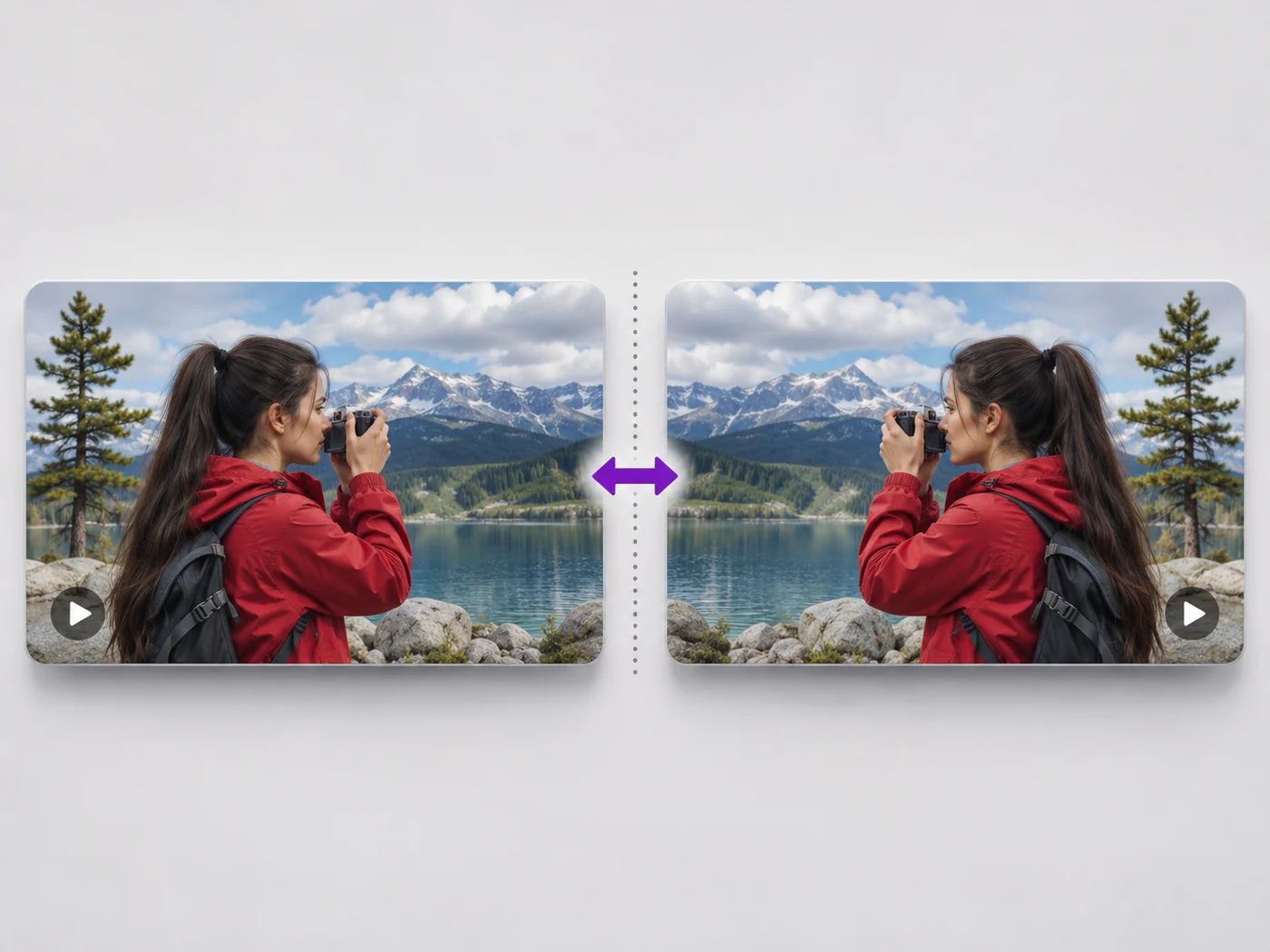
Illustrative preview
Flip Video Online — Mirror Video Left to Right
MP4, MOV, WebM · Free short clips at web size · No watermark
Undo the mirror effect of a front camera, or flip a video upside down. See the flipped video before you download it.
- Mirror left to right in one click
- Flip upside down, or both
- Text and logos read the right way again
Upload your video
MP4, MOV, WebM · Checking your upload limit…
Files are uploaded for processing. Uploads and finished videos are automatically deleted within 24 hours.
How to flip a video
- Upload your video.
- Choose Mirror, Flip upside down, or both.
- Play it to check.
- Press Flip video and download your MP4.
Undo a mirrored selfie video
Front cameras often save videos mirrored, so text on a shirt or sign reads backwards. Mirroring the video turns it the right way round. Flipping is different from rotating: it reverses the picture instead of turning it.
Flip or mirror a video online: undo a reversed selfie clip
This video flipper turns a mirrored recording the right way round. Upload an MP4, MOV or WebM; Mirror (flip left to right) is already ticked because that is the fix most people need. Tick Flip upside down for a top-to-bottom flip, or both together. The preview shows the flipped picture before you press Flip video and download an MP4 without a watermark.
Mirror a selfie video so text reads correctly
Front cameras often save what you saw on screen, which is a mirror image: a logo on a shirt or a sign behind you reads backwards. Mirroring swaps left and right so writing reads normally and the scene matches what others saw in person. The sound is untouched and stays in sync.
- Upload the mirrored video.
- Keep Mirror (flip left to right) ticked.
- Play the preview and check any text in the picture.
- Press Flip video and download the MP4.
Flip a video upside down
Flip upside down swaps the top and bottom of the picture. Combined with Mirror, it gives the same picture as a half turn. For a camera that was simply mounted the wrong way up, turn the video 180 degrees instead, which is the clearer choice when there is no mirroring to undo.
Flipping, rotating and creative mirror shots
Flipping reverses the picture like a reflection; rotating turns it without reversing anything. Creators also flip clips on purpose so a subject faces into the page or toward the next clip in a sequence. Line up a set of clips that way and then join them into one video, or reframe a flipped selfie clip with a square or vertical crop.
Before you flip
- Look for text or a logo in the frame; it shows at once whether a clip is mirrored.
- Use Rotate video instead when the clip is only upside down.
- Trim the clip in the same export if you only need part of it.
- For a photo, mirror the image instead.
Fix the rest of the clip
A camera that was simply mounted the wrong way needs a 180 degree turn instead. A flipped selfie clip is often posted as a square crop for feeds, with your handle as a small watermark or a short title. Cut the clip down first if only part of it was mirrored.
Questions about this tool
What is the difference between flipping and rotating a video?
Flipping mirrors the picture, like a reflection. Rotating turns it a quarter or half turn. Use Rotate video to fix a sideways video.
How do I mirror a selfie video?
Upload it, keep Mirror (flip left to right) ticked and press Flip video.
Is the sound affected?
No. Flipping changes only the picture; the sound plays as before.
Is the video flipper free?
Yes, with no watermark. Free exports are short clips at web size; paid plans export longer videos in Full HD and accept larger uploads.
Why are my front-camera videos mirrored?
Many phones show the front camera like a mirror while recording and some also save it that way, so the clip matches what you saw on screen rather than what others saw. Mirroring the video swaps it back so writing reads normally.
Can I flip only part of a video?
The flip covers the whole exported clip. To mirror one section, select it on the Trim tab and export it, then join it to the rest of the recording with the video merger.
Can I flip a video on my iPhone without an app?
Yes. Open this page in Safari, choose the video from your Photos, keep Mirror ticked and press Flip video. The MP4 downloads to your Downloads folder in Files, and from there you can save it to Photos.
Does flipping a video change its size or length?
Flipping keeps the shape and length of the video. Only the picture is reversed, and the export size follows your plan: web size on free and up to Full HD on paid plans.
Related tools for Video Flipper
Tools for common next steps after Video Flipper.
Video Tools
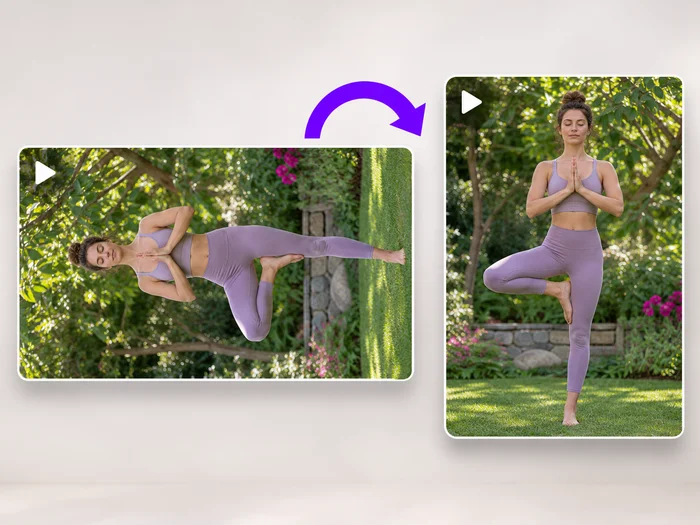
Video Rotator
Turn a video 90 degrees left or right, or 180 degrees, so it plays the right way up on every phone and computer.
Try it now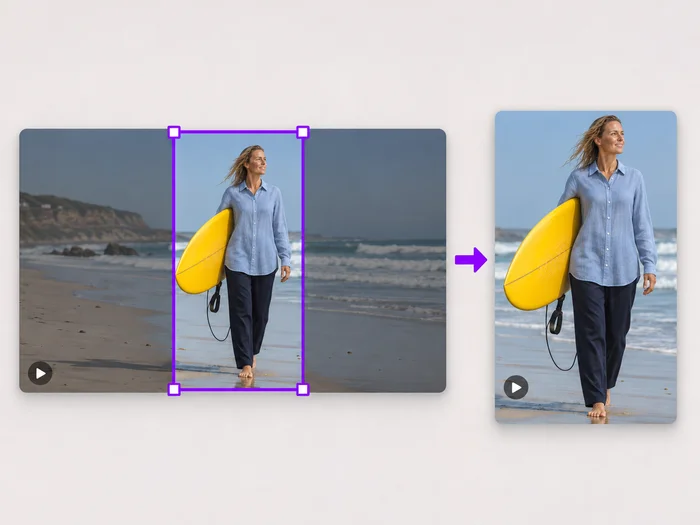
Video Tools
Video Cropper
Drag a box over your video to cut away edges, black bars or anything in the background. Lock it to square, vertical or wide for social posts.
Try it now
Video Tools
Video Editor
Make every common edit in one go: cut, crop, rotate, flip, add text and effects, change speed, then resize or compress. Preview it all before you export.
Try it nowWatch each transformation land
Every photo crosses the slash untouched and comes out the other side finished.























