
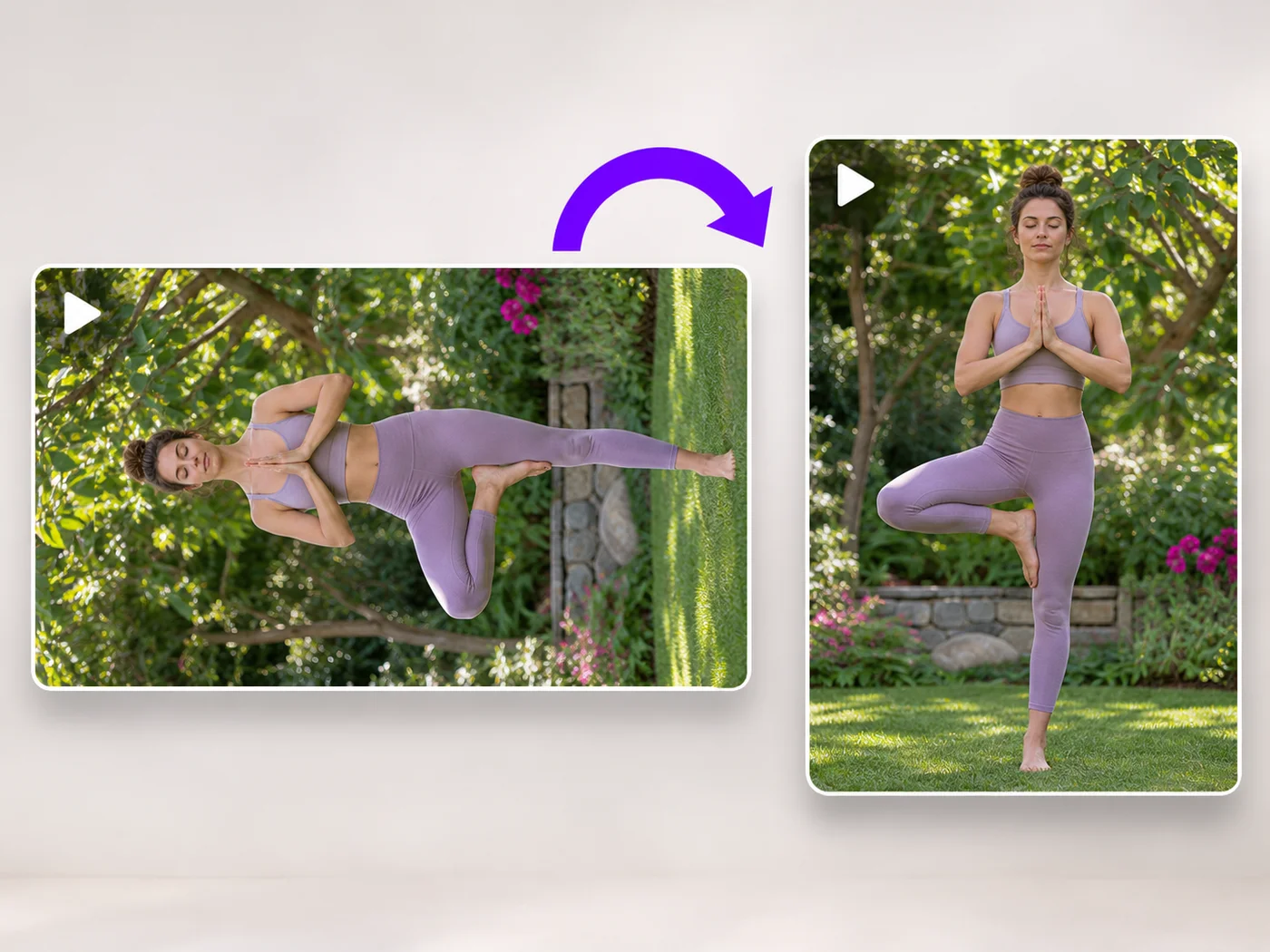
Illustrative preview
Rotate Video Online — Fix Sideways and Upside-Down Videos
MP4, MOV, WebM · Free short clips at web size · No watermark
Turn a video 90 degrees left or right, or 180 degrees, so it plays the right way up on every phone and computer.
- Rotate left, right or upside down
- See the rotated video before you download
- Works with MP4, MOV and WebM
Upload your video
MP4, MOV, WebM · Checking your upload limit…
Files are uploaded for processing. Uploads and finished videos are automatically deleted within 24 hours.
How to rotate a video
- Upload the sideways or upside-down video.
- Press Rotate left or Rotate right until it looks right.
- Play it to check.
- Press Rotate video and download your MP4.
Fix a video filmed the wrong way
Phones sometimes save a video sideways, and some players ignore the rotation setting. Rotating it here turns the picture itself, so it plays the right way up everywhere.
Rotate a video online: fix sideways and upside-down recordings
This video rotator turns the picture itself, so a clip plays the right way up in every player. Upload an MP4, MOV or WebM; the page starts with a quarter turn to the right already chosen. Use Rotate left, Rotate right or Turn upside down until the preview looks right, then press Rotate video and download an MP4 without a watermark.
Rotate a video 90 degrees left or right
A phone held the wrong way often saves a portrait scene lying on its side. Each press of Rotate right turns the picture a quarter turn clockwise and Rotate left a quarter turn counterclockwise. The Rotation line shows the total angle, and the preview turns with every press, so you can stop as soon as people are upright.
- Upload the sideways video.
- Press Rotate right or Rotate left until the preview is upright.
- Play the clip to check it.
- Press Rotate video and download the MP4.
Turn a video upside down
Clips from a camera mounted upside down, a dashcam or a bike mount often need a half turn. Turn upside down rotates the picture by 180 degrees in one press and keeps its shape. That is different from flipping: a flip makes a mirror image, so writing reads backwards, while a half turn keeps everything readable.
Why a video plays sideways in one app and not another
Phones often store the picture as filmed and add a note saying which way is up. Some players and websites ignore that note, so the same file looks right on your phone and sideways elsewhere. Rotating here turns the picture itself, so it no longer depends on the note. If the clip is also mirrored, flip it left to right as well.
Fix the frame after rotating
A quarter turn swaps width and height, so a landscape recording becomes portrait. Cut away edges or black bars that come with the turn using a crop box over the frame, or change the shape with a background when you need a specific social format. For a whole batch of fixes at once, the video editor rotates, crops and trims in a single export.
Before you rotate
- Check that people stand upright in the preview, not just that the frame is tall.
- Use Turn upside down for a half turn instead of pressing Rotate right twice.
- Trim the clip in the same step if you only need part of it.
- For photos taken sideways, rotate the image instead.
When turning the video is not enough
Some clips need the opposite fix: flip the video top to bottom when it is mirrored rather than turned. After a quarter turn, crop the new frame to vertical 9:16 for Reels and Shorts, and trim the clip to the part you want. A turned clip can also be scaled to a smaller size or compressed for sending.
Questions about this tool
How do I rotate a video 90 degrees?
Upload it, press Rotate right or Rotate left once, and press Rotate video. Each press turns it a quarter turn.
Will rotating change the shape of my video?
A quarter turn swaps width and height, so a landscape video becomes portrait. A half turn keeps the shape.
Is the sound kept?
Yes, the sound stays in sync. You can also remove it under Sound.
Is the video rotator free?
Yes, with no watermark. Free exports are short clips at web size; paid plans export longer videos in Full HD and accept larger uploads.
Can I rotate a video 270 degrees?
Yes. The page opens at a quarter turn to the right, so press Rotate left twice until the Rotation line reads 270 degrees. That is a quarter turn to the left, and the preview shows the result before you export.
Does rotating a video reduce quality?
The picture is processed again to turn it, which keeps it close to the original at the export size of your plan. Free exports are at web size and paid plans export in Full HD.
Can I rotate an iPhone video that shows sideways on Windows?
Yes. Upload the MOV or MP4, turn it until the preview is upright and download the result. The new MP4 has the rotation built into the picture, so it plays the same way on Windows, Android and websites.
Why does my rotated video have black bars on a website?
A quarter turn makes a landscape video portrait, and some sites show portrait video inside a landscape player with bars at the sides. Crop or change the shape of the rotated video if the site needs a particular format.
Related tools for Video Rotator
Tools for common next steps after Video Rotator.
Video Tools
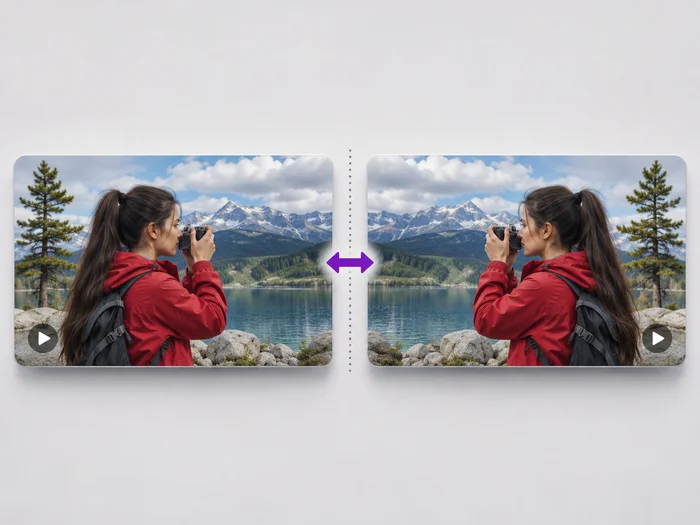
Video Flipper
Undo the mirror effect of a front camera, or flip a video upside down. See the flipped video before you download it.
Try it now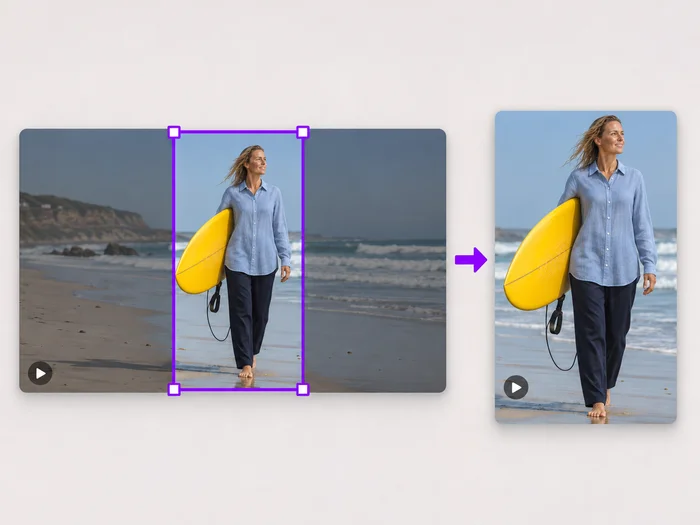
Video Tools
Video Cropper
Drag a box over your video to cut away edges, black bars or anything in the background. Lock it to square, vertical or wide for social posts.
Try it now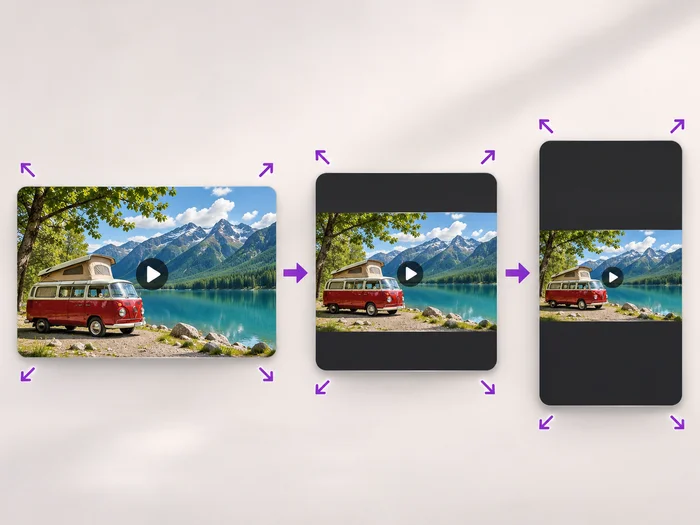
Video Tools
Video Resizer
Scale a video down to a smaller size, or set an exact width and height and choose whether to add bars, fill the frame or stretch.
Try it nowWatch each transformation land
Every photo crosses the slash untouched and comes out the other side finished.























