
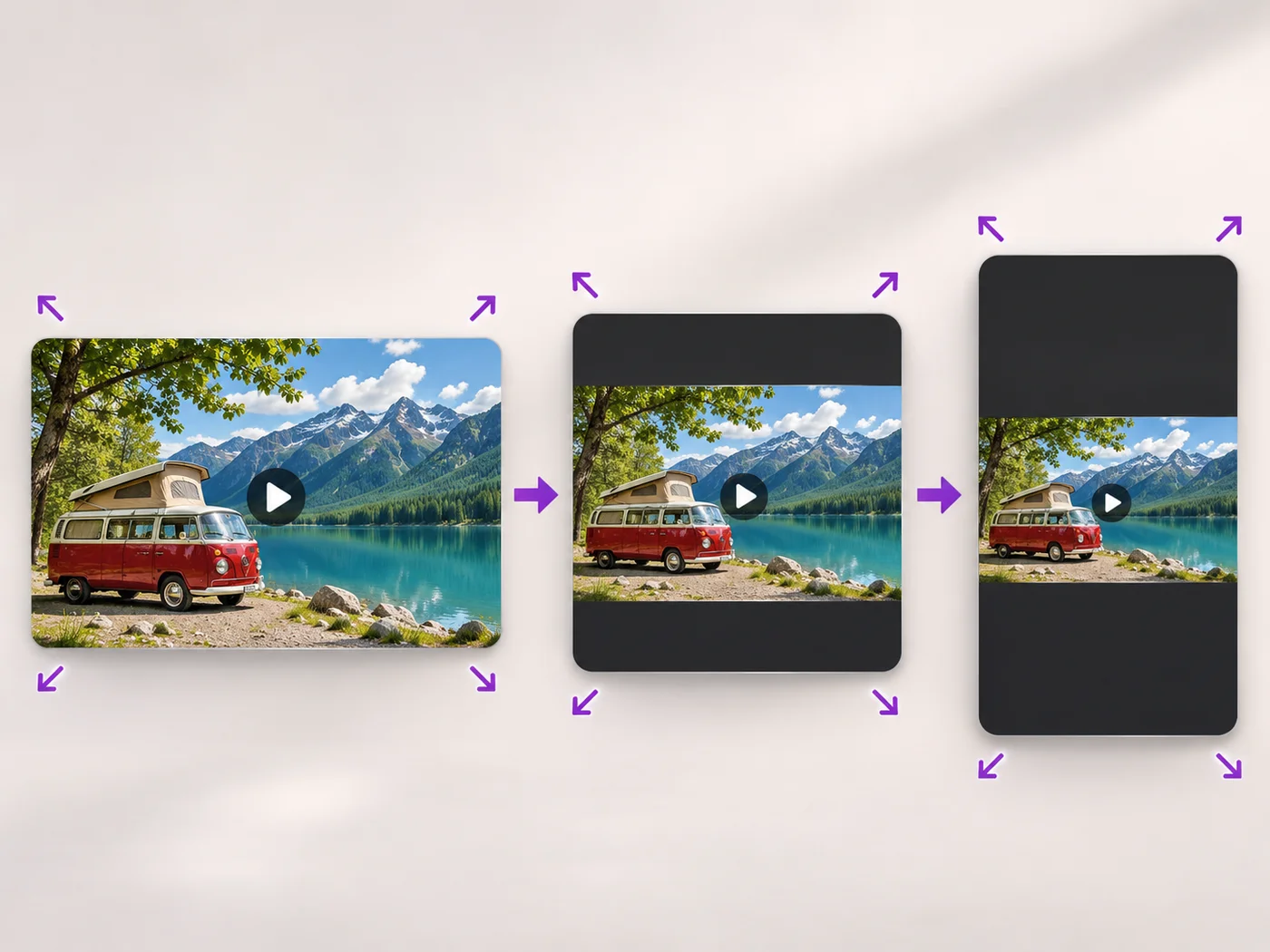
Illustrative preview
Resize Video Online — Change Video Size or Shape
MP4, MOV, WebM · Free short clips at web size · No watermark
Scale a video down to a smaller size, or set an exact width and height and choose whether to add bars, fill the frame or stretch.
- Quick sizes from extra small to Full HD
- Exact width and height for any site
- Keep the whole video with bars, fill the frame or stretch
Upload your video
MP4, MOV, WebM · Checking your upload limit…
Files are uploaded for processing. Uploads and finished videos are automatically deleted within 24 hours.
How to resize a video
- Upload your video.
- Pick a size, or choose Custom size and enter a width and height.
- For a custom size, choose how the video fits the new shape.
- Press Resize video and download your MP4.
The right size for every place you post
Smaller videos upload faster and fit size limits, and some sites ask for an exact width and height. For vertical, square and landscape social formats with backgrounds, use the portrait and landscape video converter.
Resize a video online: change video resolution, size or aspect ratio
This video resizer changes how many pixels a video has, and optionally its shape. Upload an MP4, MOV or WebM and pick a quick size from Large (Full HD) down to Extra small, or choose Custom size to type a Width and Height. For a new shape, decide whether to keep the whole video with bars, fill the frame by cropping the edges, or stretch it. The download is an MP4 without a watermark.
Make a video smaller with a quick size
Medium (HD) is chosen when the page opens, which suits websites, slides and most sharing. Small and Extra small make lighter files that upload fast and play smoothly on slow connections. Every quick size keeps the shape of your video, so nothing is cropped or stretched, and Original size keeps the pixels as they are when you only want to trim or mute.
- Upload the video you want to resize.
- Pick a size under Output size.
- Play the preview and check the exported length.
- Press Resize video and download the MP4.
Set an exact width and height
Some upload forms, ad slots and players ask for exact dimensions. Choose Custom size and type the Width and Height; both must be even numbers for MP4 video. Then pick how the video fits the new shape: Keep the whole video (add bars) with a Bar color, Fill the frame (crop edges), or Stretch to fit, which changes the proportions of people and objects.
Resize, compress or reframe?
Resizing changes the picture dimensions; when what matters is the file being too large to send, reduce the video file size instead. For TikTok, Reels and Shorts with a blurred or colored background, switch a clip between vertical and horizontal. To choose exactly which part of the picture stays in a new shape, crop the video with a box.
Can a video be made larger?
Free exports are at web size; paid plans export up to Full HD. Making a small video larger gives it more pixels but no more detail, so it looks soft on a big screen. Start from the original recording rather than a copy saved from a chat app, which has usually been shrunk already.
Before you resize
- Check the size a site asks for, and whether it wants bars or a full frame.
- Use Keep the whole video when titles or faces sit near the edges.
- Trim and remove sound in the same step to save another export.
- Resizing a photo instead? Use the image resizer.
Choose the right way to change the size
A smaller picture is one way to a lighter file, while compressing at the best quality keeps the full size. To fill a shape completely, crop the video to a square instead of adding bars, or change the size and add effects together in the video editor. A resized clip with a caption needs the text tool last, so the words fit the new frame.
Questions about this tool
How do I make a video smaller?
Choose Small or Extra small under Output size and press Resize video. For a smaller file at the same size, use the video compressor.
Can I change the aspect ratio of a video?
Yes. Choose Custom size, enter the new width and height, and pick Keep the whole video to add bars, Fill the frame to crop the edges, or Stretch.
Can I make a video bigger than the original?
Free exports are at web size and paid plans export up to Full HD. Making a small video larger does not add detail.
Is the video resizer free?
Yes, with no watermark. Free exports are short clips at web size; paid plans export longer videos in Full HD and accept larger uploads.
What is the difference between Fill the frame and Keep the whole video?
Keep the whole video fits all of the picture inside the new size and fills the leftover space with bars in the color you choose. Fill the frame covers the new size completely and cuts off whatever sticks out at the edges.
Why must the width and height be even numbers?
MP4 video stores color for pairs of pixels, so it needs even dimensions to play reliably on phones and computers. The page asks for even numbers so the file you download plays everywhere.
Does resizing change the length or sound of my video?
Resizing keeps the length and the sound unless you trim or tick Remove sound in the same step. Only the picture dimensions change, and the export stays in sync with the audio.
How do I resize a video for a website banner or ad slot?
Choose Custom size, type the dimensions the site asks for, and pick Fill the frame so the banner has no bars. Move important content toward the middle of the video, because the edges are what gets cut.
Related tools for Video Resizer
Tools for common next steps after Video Resizer.
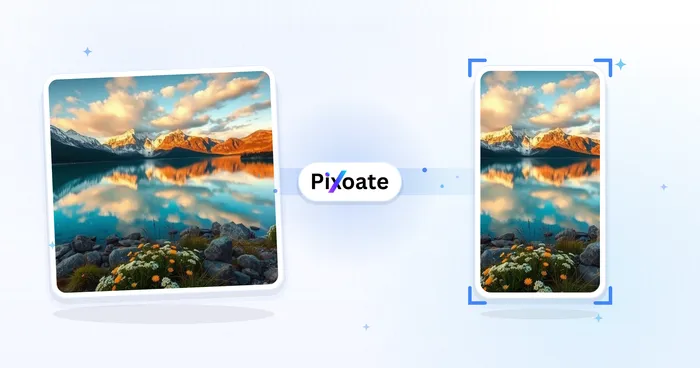
Social Publishing
Portrait & Landscape Video Converter
Convert videos between portrait, landscape, square, and custom sizes. Keep the whole frame, crop, add backgrounds, and download MP4 free without a watermark.
Try it now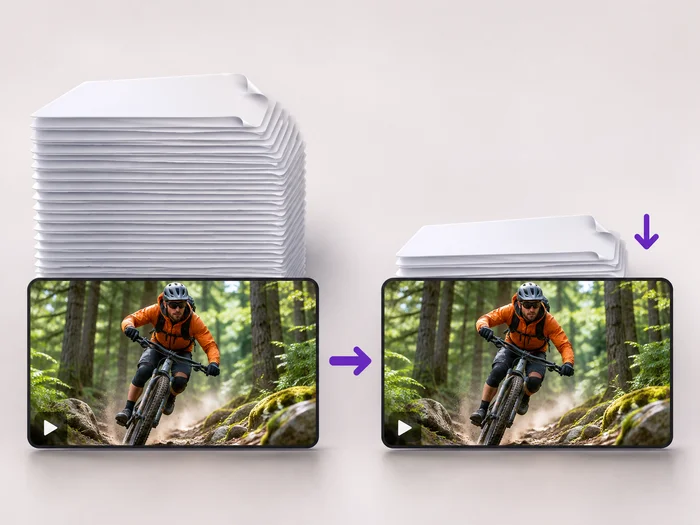
Video Tools
Video Compressor
Make a video file smaller so it fits email, chat and upload limits. Choose how much to shrink it and keep the picture sharp.
Try it now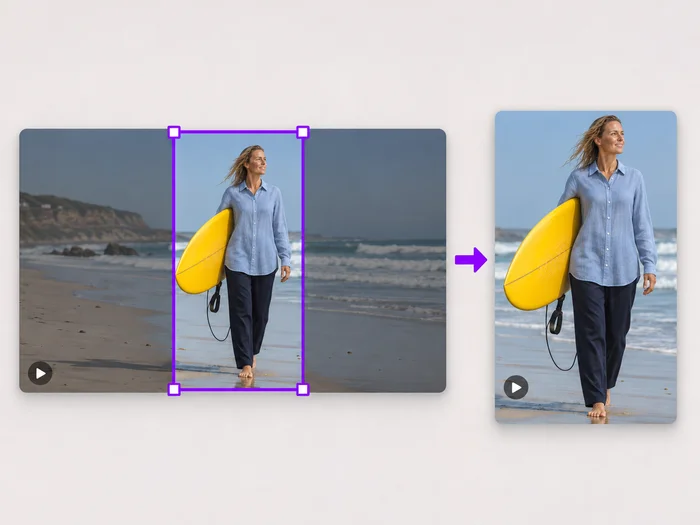
Video Tools
Video Cropper
Drag a box over your video to cut away edges, black bars or anything in the background. Lock it to square, vertical or wide for social posts.
Try it nowWatch each transformation land
Every photo crosses the slash untouched and comes out the other side finished.























