YouTube uploads
Upload a vertical phone clip as a regular widescreen video instead of a Short.
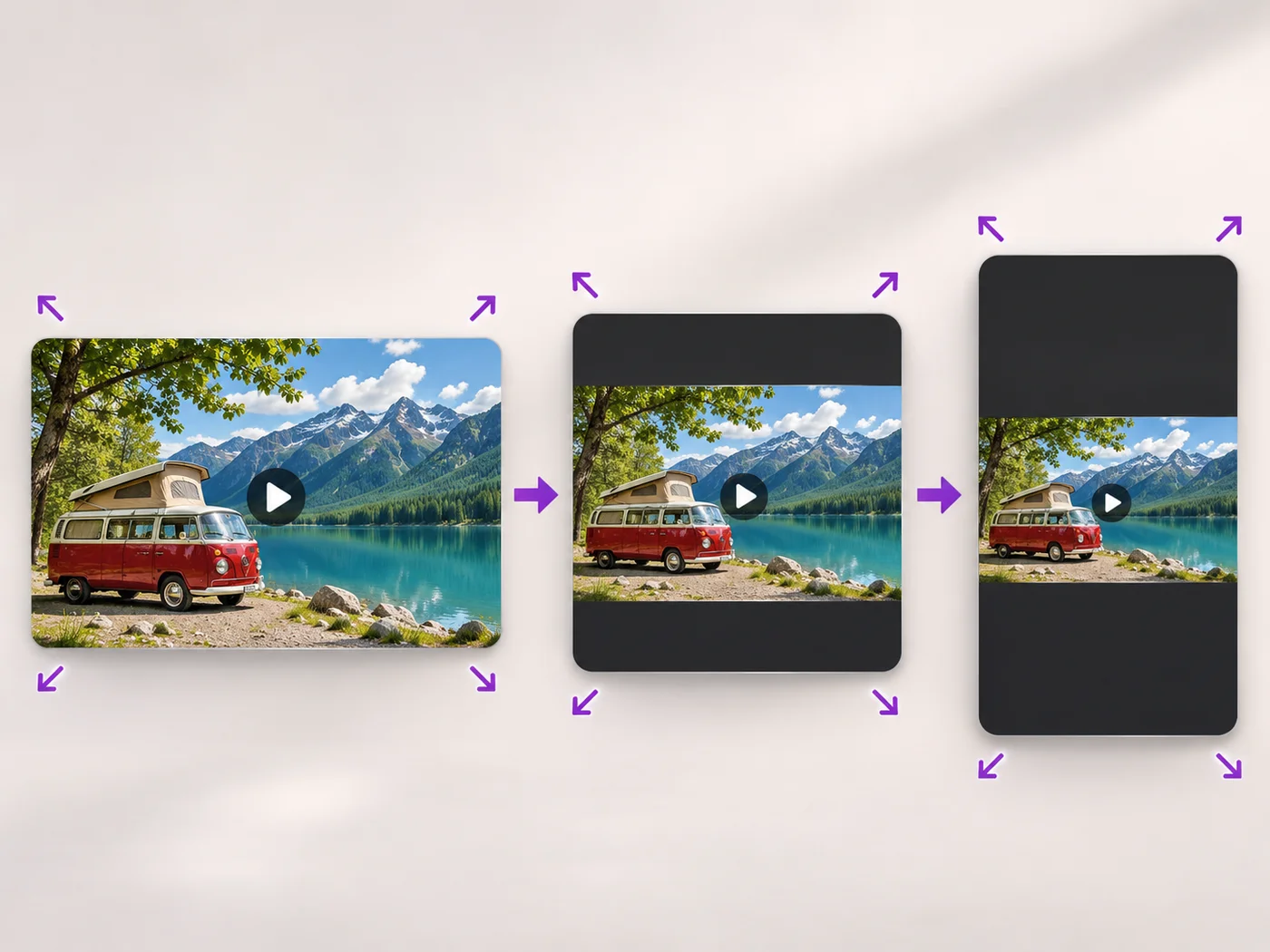
Illustrative preview
Starts on 16:9 with Keep the whole video
Change a video to the 16:9 widescreen shape. The whole picture is kept with bars at the sides, or switch to fill the frame by cropping.
MP4, MOV, WebM · Checking your upload limit…
Files are uploaded for processing. Uploads and finished videos are automatically deleted within 24 hours.
A 16:9 Custom size with Keep the whole video (add bars) is set, so a vertical or square clip sits in the middle with bars at the sides.
Keep the bars for interviews and screen recordings. Choose Fill the frame (crop edges) when the scene can lose some of its top and bottom.
Free exports are scaled to web size and paid plans export up to Full HD; the 16:9 shape is kept either way.
Press Resize video and upload the widescreen MP4 to YouTube, a slide deck or a website.
Upload a vertical phone clip as a regular widescreen video instead of a Short.
Drop a clip into a widescreen slide without it stretching or leaving odd gaps.
Prepare a clip for a lobby screen, a TV or a projector that expects widescreen video.
It is the shape of the frame: 16 units wide for every 9 units tall. It is the standard shape of TVs, laptop screens and most video players.
With bars you keep the whole picture. For no bars, choose Fill the frame, which crops the top and bottom, or use a blurred background with the portrait and landscape video converter.
Only if you choose Stretch to fit. Keep the whole video and Fill the frame both keep people and objects in their true proportions.
Yes. Pick any color under Bar color when Keep the whole video is chosen; black is set by default.
Every setting is also on the main page: Resize Video Online.
Tools for common next steps after Video Resizer.
Social Publishing
Convert videos between portrait, landscape, square, and custom sizes. Keep the whole frame, crop, add backgrounds, and download MP4 free without a watermark.
Try it nowVideo Tools
Make a video file smaller so it fits email, chat and upload limits. Choose how much to shrink it and keep the picture sharp.
Try it nowVideo Tools
Drag a box over your video to cut away edges, black bars or anything in the background. Lock it to square, vertical or wide for social posts.
Try it nowEvery photo crosses the slash untouched and comes out the other side finished.